
Hardware diagnostics: test the hardware. the report files itself.
Start the customer's PC or Mac from the Repairity Check USB stick and it runs the hardware tests, then saves the report onto their repair. Nothing gets installed on their drive, and nobody copies results across by hand.
14 days free · No card needed
Start up
one stick for every pc and intel mac.
Plug in the Repairity Check stick and pick it from the boot menu. Everything loads into memory, so once it's up you can pull the stick out and start the next machine while the tests carry on.
- Windows PCs and laptops, with Secure Boot left on
- Intel Macs from the boot menu (hold Option at power on)
- Never mounts or writes to the customer's drive
Find the repair
it knows whose machine it is.
Repairity Check reads the maker, model and serial number off the machine and finds the repair for you. Check the device in with its condition and accessories, and the customer gets the usual email.
- Finds the repair by serial number automatically
- Or scan the label, or search by reference, customer or tracking number
- Book in a walk-in with the device details already filled in
Test
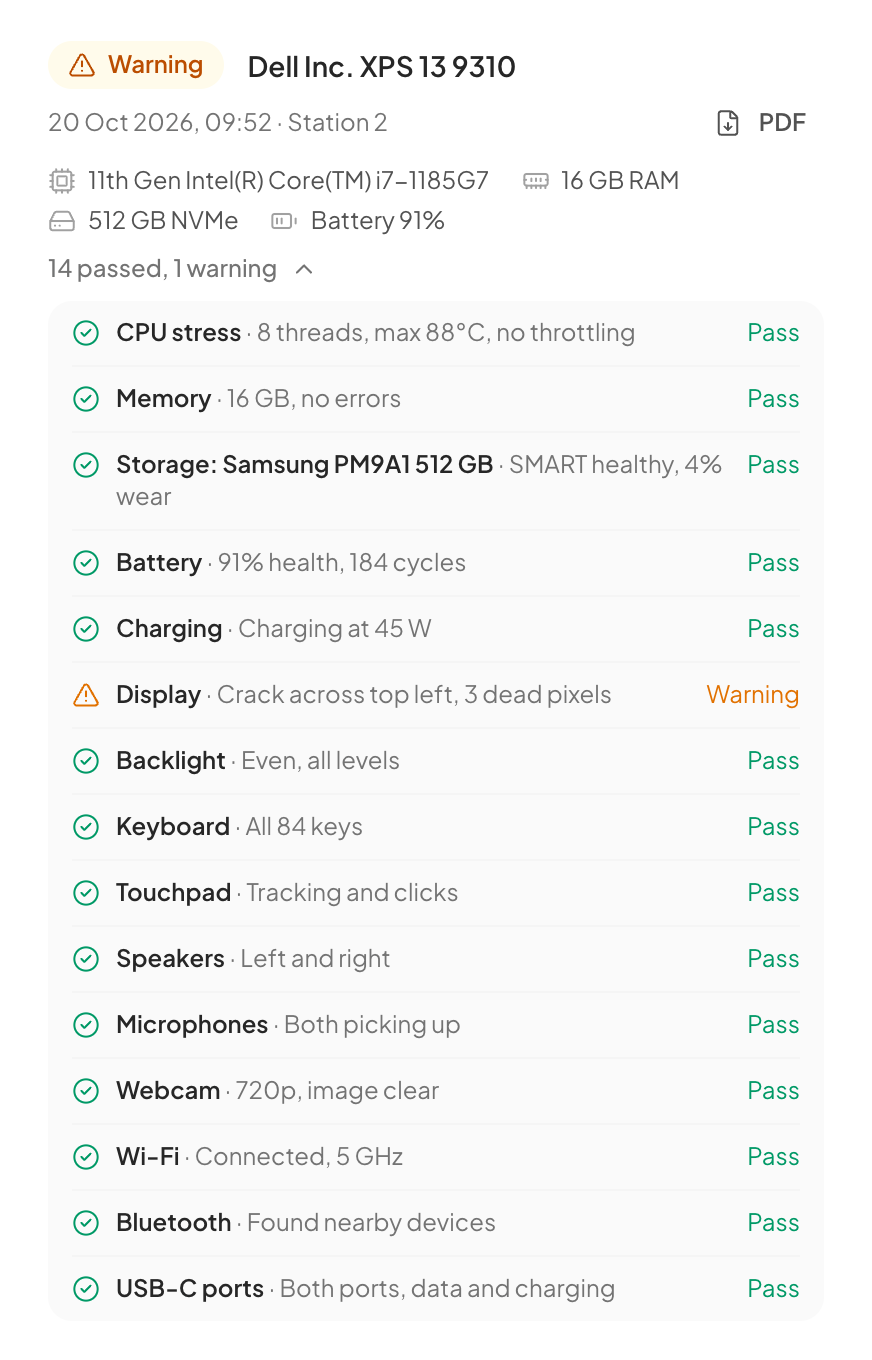
about 50 checks run while you do the hands-on ones.
The automatic tests start the moment the Tests screen opens. Your technician works through the hands-on ones a tile at a time while they run, and every result comes back as a plain pass, fail or "check this".
- Battery health and cycles, charging wattage, CPU under load, memory, drive health
- Wi-Fi, Bluetooth, Ethernet, cameras, microphones and sensors
- Hands-on tests for dead pixels, the keyboard map, trackpad, speakers, every USB port and the lid switch
Report
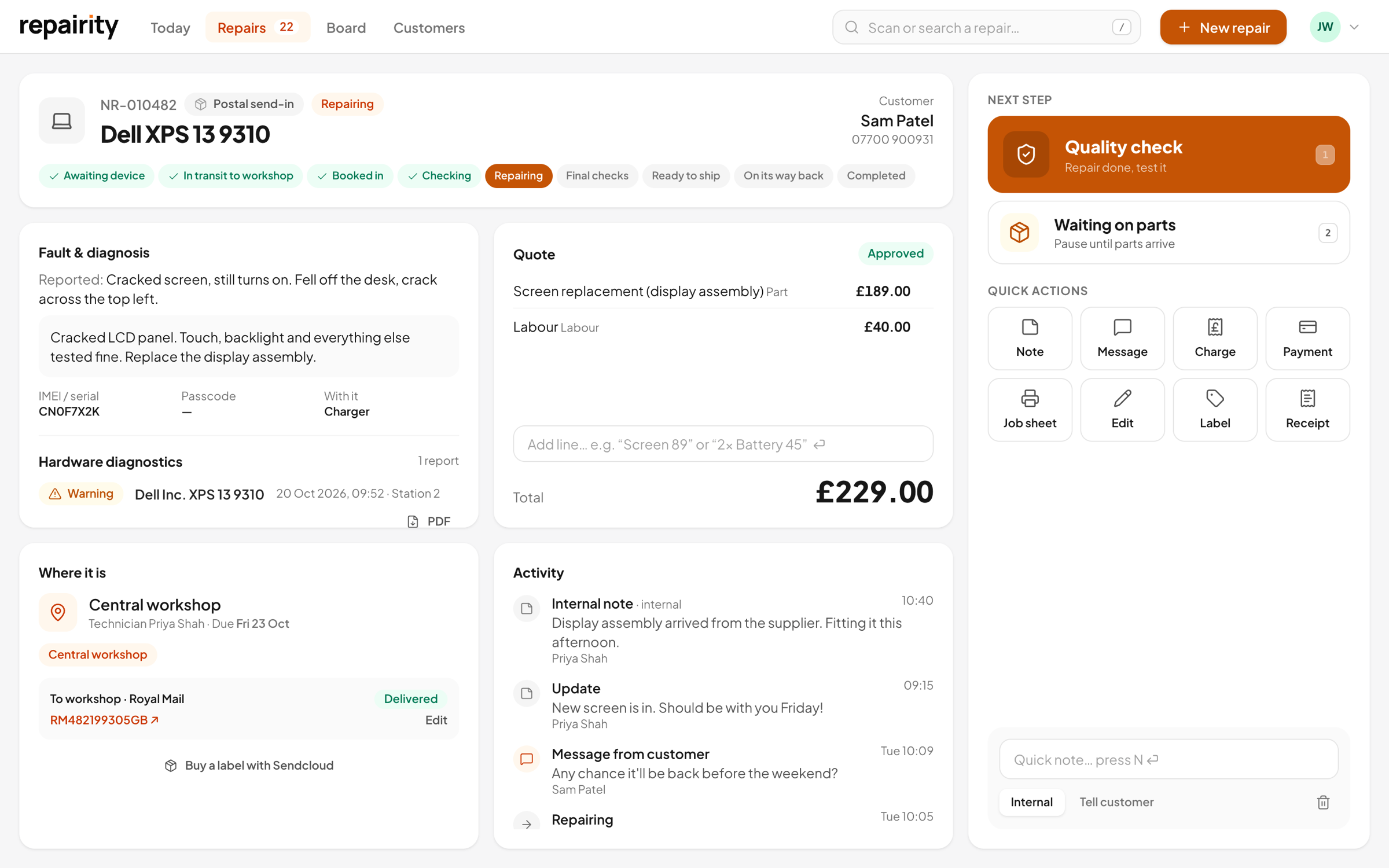
saved on the repair and ready to show the customer.
Upload the report with one click, and move the repair on to Diagnosing at the same time if you want. If there's no network, save it to the USB stick (encrypted) and the station uploads it when the stick comes back.
- On the repair page and timeline, with every result and reading
- Customers can download it as a PDF from their tracking page
- A QR code on the PDF proves it hasn't been altered

built for more than one technician at a time.
One station per technician
Pair each technician's station once from Settings. A device only ever talks to its own station.
Who ran the tests
Technicians sign in on the station with their name (and a PIN, if you want one), so every report shows who ran it.
Station app for Mac or Windows
Repairity Station runs on a shop Mac or Windows PC. Apple silicon Macs are tested from a Mac station. The tests run on the customer's Mac and the station handles the repair.
Works offline
If the customer's machine can't get on the Wi-Fi, run every test anyway and bring the report back on the stick.
good to know.
If you're still weighing it up, try everything free for 14 days. You don't need a card.
Which machines will it test?
Windows PCs and laptops, and Intel Macs, by starting them from the Repairity Check USB stick. Apple silicon Macs can't start from another operating system, so they run the Repairity Check app from the same stick instead, connected to your Repairity Station for Mac.
Could it touch anything on the customer's drive?
No. Repairity Check runs from memory and never mounts or writes to the customer's drive.
Can I show the customer the report?
Yes. It appears on their tracking page as a PDF they can download, and its QR code opens the original results so they can see it's genuine.
Do I pay extra for it?
One Repairity Check station is included on Growth and Scale, and each one after that is £25 +VAT a month. There's no limit on how many devices you test on a station.