
For mail-in repair centres: booked online. posted in. posted home.
Customers book themselves in and are told where to send their device. You scan it when it arrives, fix it, and post it back with tracking. They can follow each step from their own tracking page, which keeps your inbox quiet.
14 days free · No card needed


A day in your repair centre
every parcel accounted for, coming and going.
Sam's laptop never goes near a shop. This is its trip from the booking page to the test station and back to Sam's door.
-
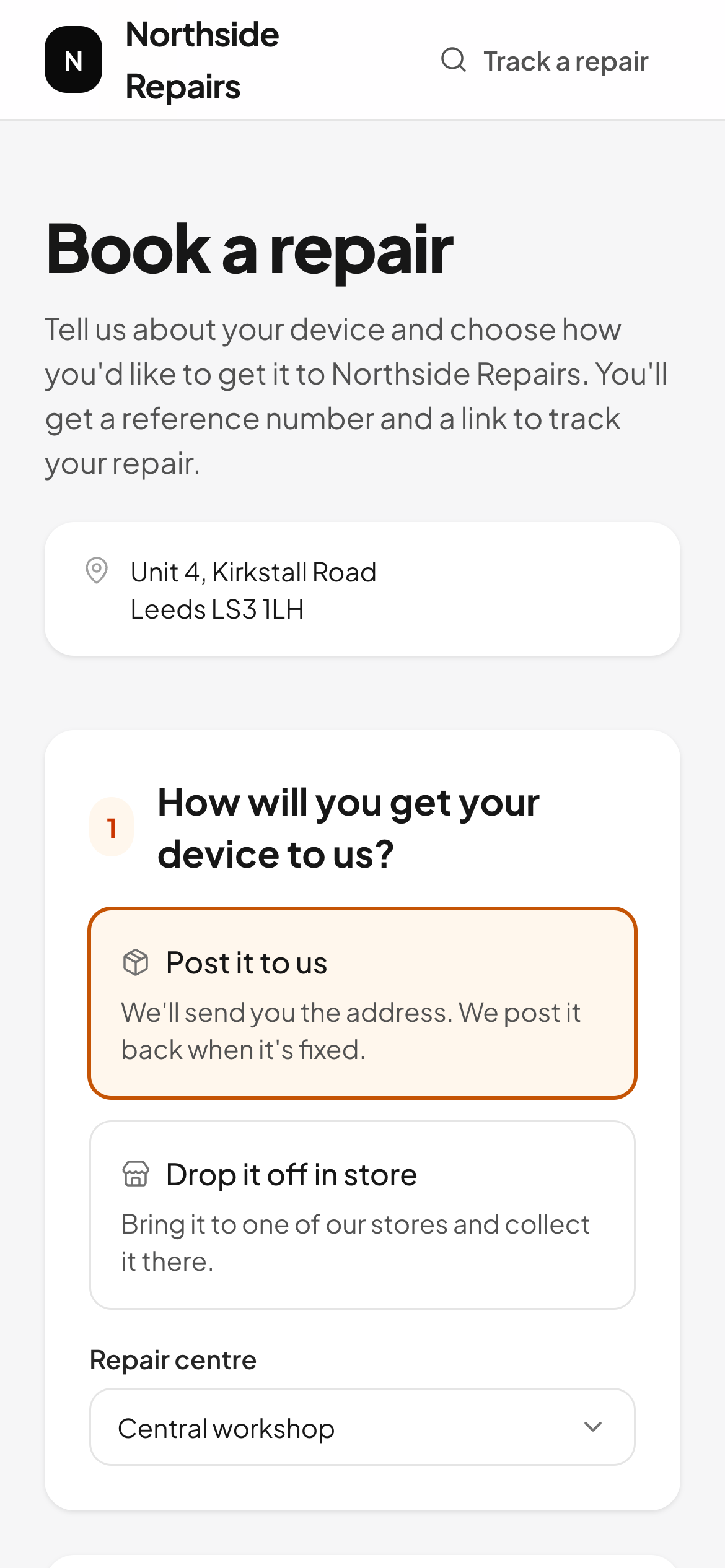 01 Mon 21:40
Booked in online
The customer picks "Post it to us" on your booking page, answers your questions and adds their return address. Their tracking page shows exactly where to send it.
-
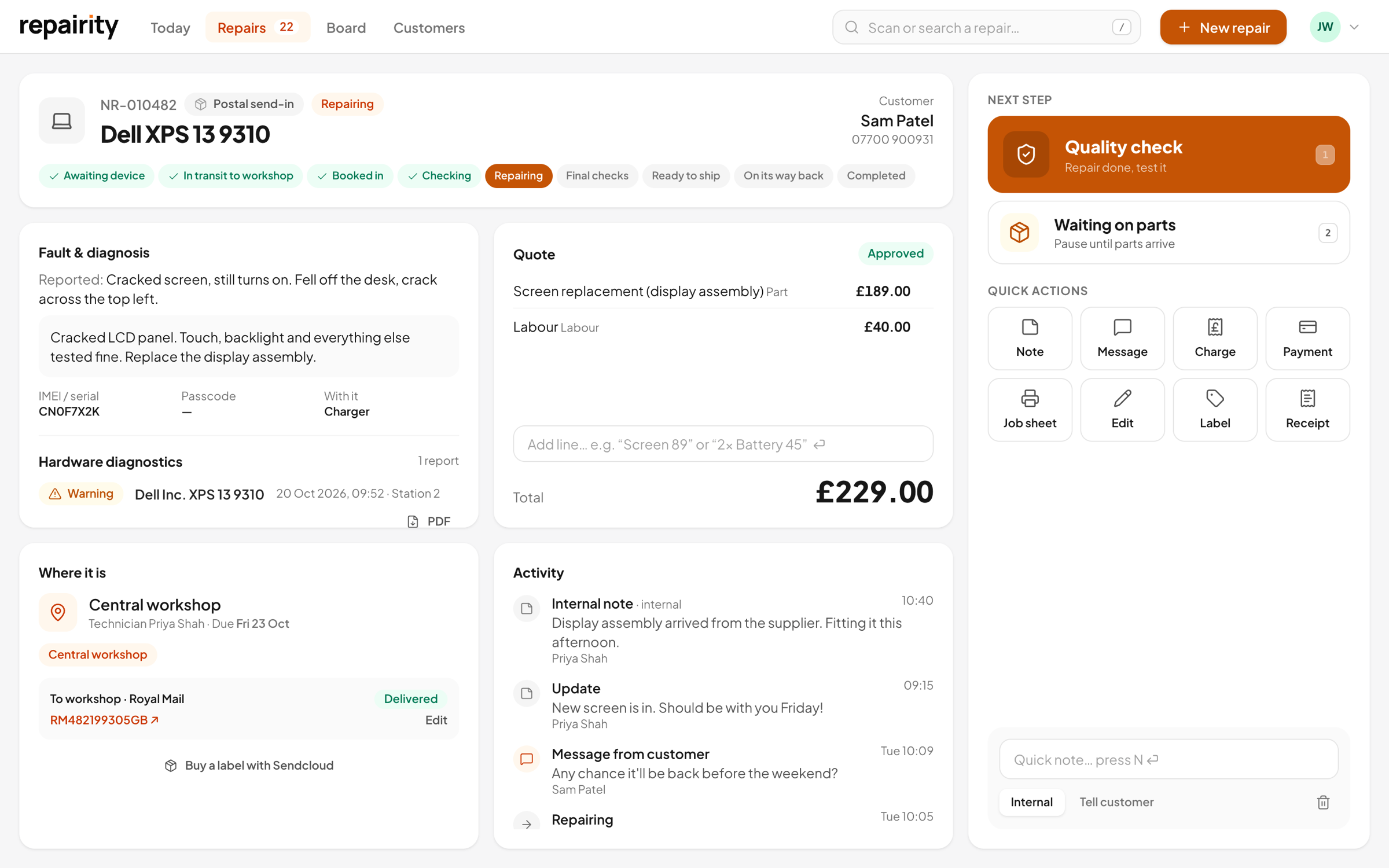 02 Tue 08:51
Scanned on arrival
Open the parcel, scan or search for the repair number and mark it received. The customer gets an email or text to say it's arrived.
-
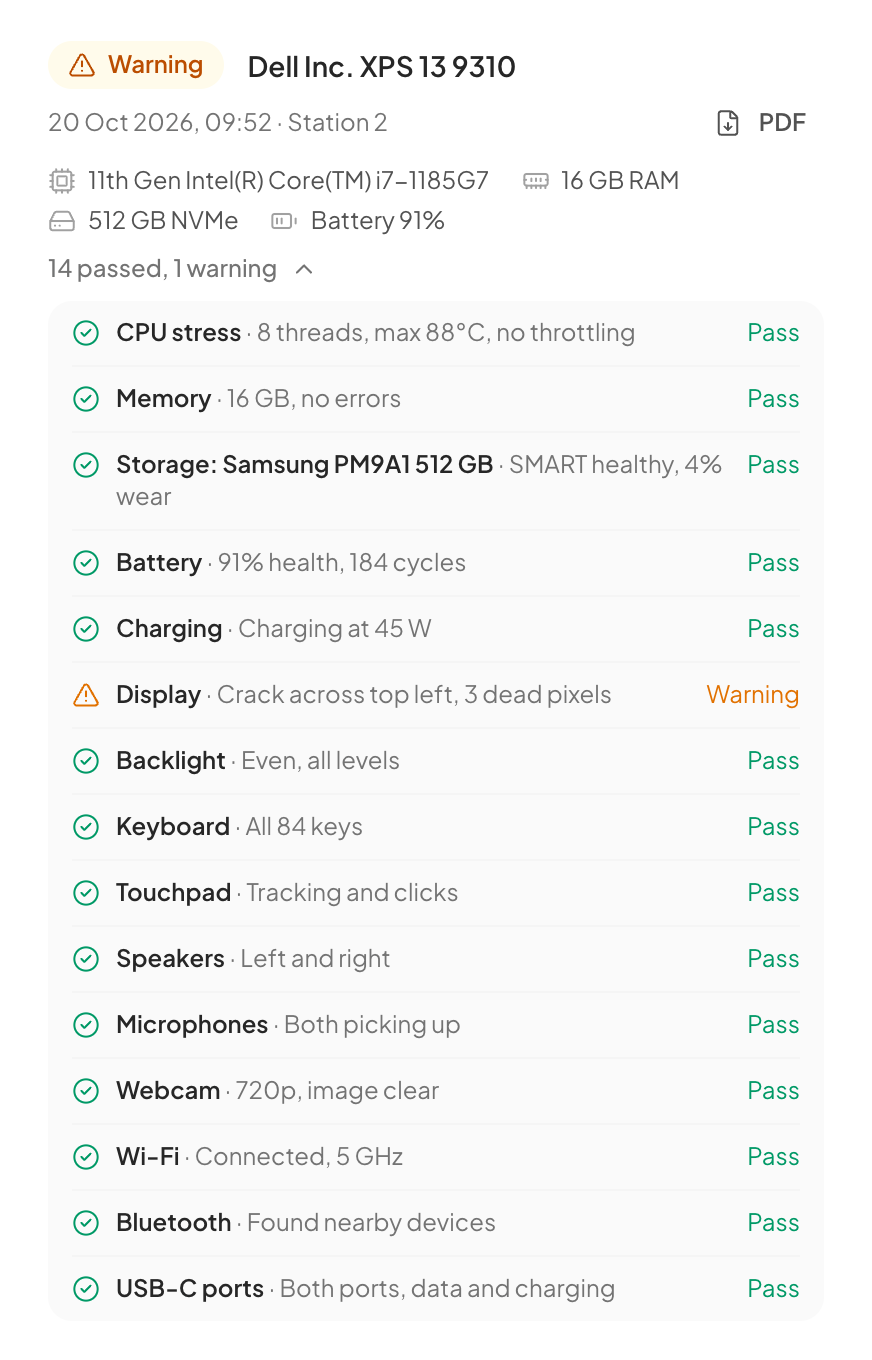 03 Tue 09:52
Tested at the station
Laptops and PCs are tested with Repairity Check from a USB stick, and the report is saved on the repair, ready to back up your quote.
-
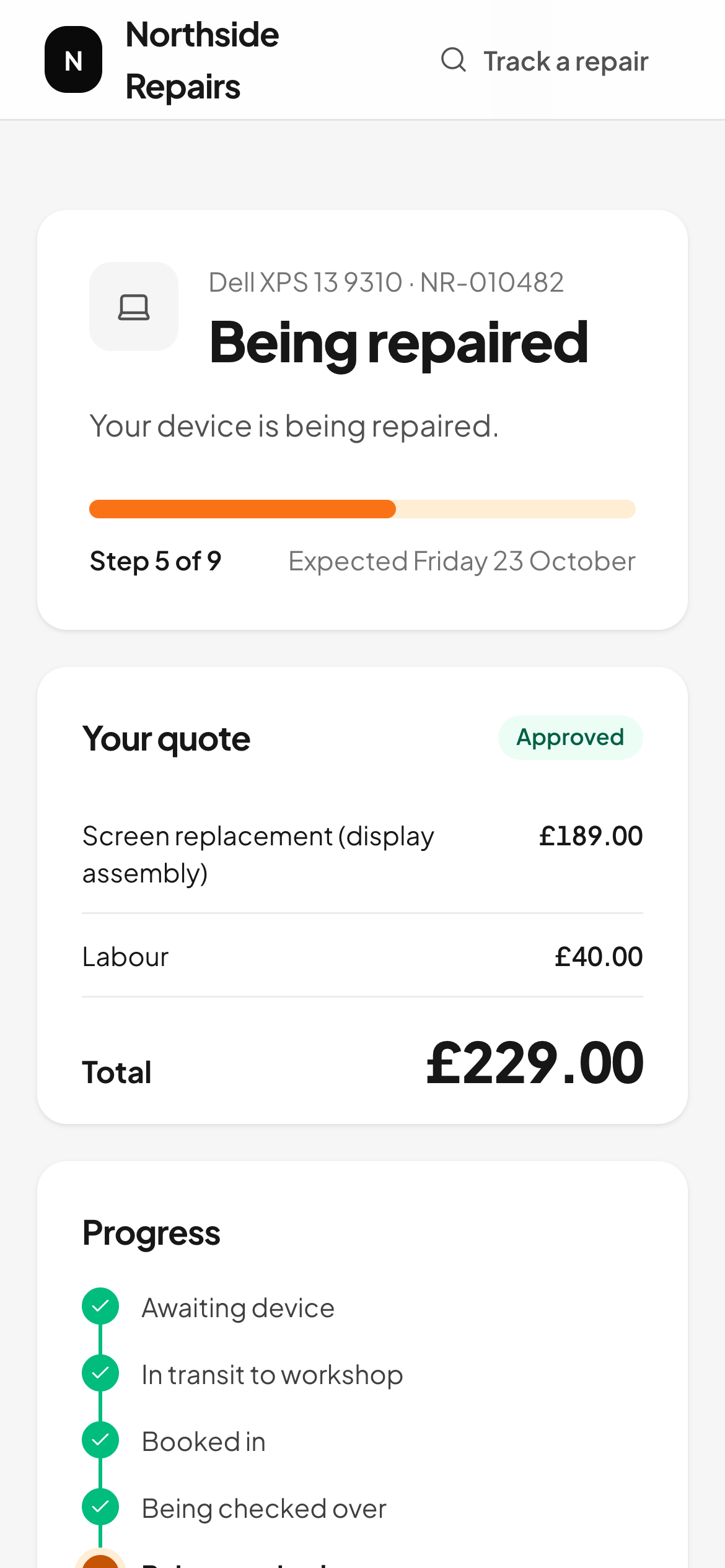 04 Tue 10:05
Quote approved online
The customer approves or declines from their tracking page. If they decline, the repair goes straight to the return path.
-
05 Thu 11:00
Posted home
Buy the label from the repair, or add the courier and tracking number when you dispatch it. The customer gets an email or text with the tracking link, and the repair comes off your list.
-
In and out
one click to answer "where is it?"
The courier and tracking number live on the repair, so anyone on your team can answer, and the customer usually doesn't need to ask.
Online booking
customers book themselves in.
Put your booking link on your website. Customers choose which repair centre to send to, tell you what's wrong in their own words, and get a repair number and tracking link before they've found a jiffy bag.
- Your own booking page to share
- Your booking-in questions, online
- Return address collected up front
- Posting address shown straight away
In the warehouse
receive, repair and dispatch from your phone.
Put the iPhone app in warehouse mode and your team can receive parcels, work through the queue and dispatch repairs without walking back to a computer.
- Warehouse mode on the iPhone app
- Scan a label to open the repair
- Dictate notes instead of typing
- Repair labels printed with Repairity Print
Tracking
couriers in and out, all on the repair.
Each shipment sits on the repair with its courier and tracking number, so anyone can answer "where's my parcel?" in one click. Connect Sendcloud or ShipStation to buy labels, send customers a free return label with packing steps, and let live tracking move the repair on when the parcel is posted and when it arrives.
- Royal Mail, Parcelforce, DPD, Evri, DHL, UPS and more
- Tracking links for the customer and your team
- Customers emailed or texted when it arrives and when it ships
- Late repairs ringed in orange

Marketplaces
back market and refurbed cases, straight in.
If you sell or repair for the marketplaces, connect Back Market or refurbed and each new case becomes a repair, waiting for the device to arrive. When you post it back, the tracking number goes back to the marketplace without anyone copying it across.
- Back Market after-sales cases arrive as postal repairs
- refurbed warranty tickets arrive as repairs
- Back Market BackShip labels and tracking come in too
- Return tracking is sent back to the marketplace
The right plan
postal send-ins come with growth and scale.
You pay per repair centre. Growth includes 8 users for each one, and Scale, with unlimited users, suits a high-volume operation with a big team.
Compare every planper month +VAT
£79 a month billed annually, excl. VAT
For shops that send repairs to a workshop or take them in by post.
- 8 users per location
- 2 Repairity Print computers per location
- Postal, online and store-to-workshop send-ins
- Your own booking-in flows and repair steps
- Label and receipt designer
- Shipping, accounting and device-check integrations
- Warehouse mode in the iPhone app
- 1 Repairity Check station
- Everything in Essential
per month +VAT
£111 a month billed annually, excl. VAT
For large teams that want unlimited users and priority support.
- Unlimited users and Print computers
- Parts inventory, purchase orders and stock accounting
- Marketplace and refurbishment integrations
- Custom roles and permissions
- The Repairity API and webhooks
- Priority support
- Everything in Growth
good to know.
If you're still weighing it up, try everything free for 14 days. You don't need a card.
How do customers know where to send their device?
Their tracking page shows the address of the repair centre they chose until the device arrives, along with their repair number.
Can staff book postal repairs over the phone?
Yes. Book it in as a postal send-in and it follows the same steps as an online booking: awaiting device, received, repaired and posted back.
Do you buy postage or print courier labels?
Yes, if you connect Sendcloud or ShipStation. You can buy outbound and return labels from the repair, print them, email or text return labels to the customer and cancel any you don't use. Otherwise, book postage as you do now and add the courier and tracking number by hand.
What if the customer declines the quote?
The repair moves to the return path and is posted back, and you can see the decline and any message on the repair.