
Send-ins & postal: store to workshop and back. never lost.
Book a device in at any store and send it to your workshop, or have the customer post it in. Repairity records each leg of the journey so everyone can see where the device is, and sends it back the way it came.
14 days free · No card needed

Three ways in
each kind of send-in follows its own steps.
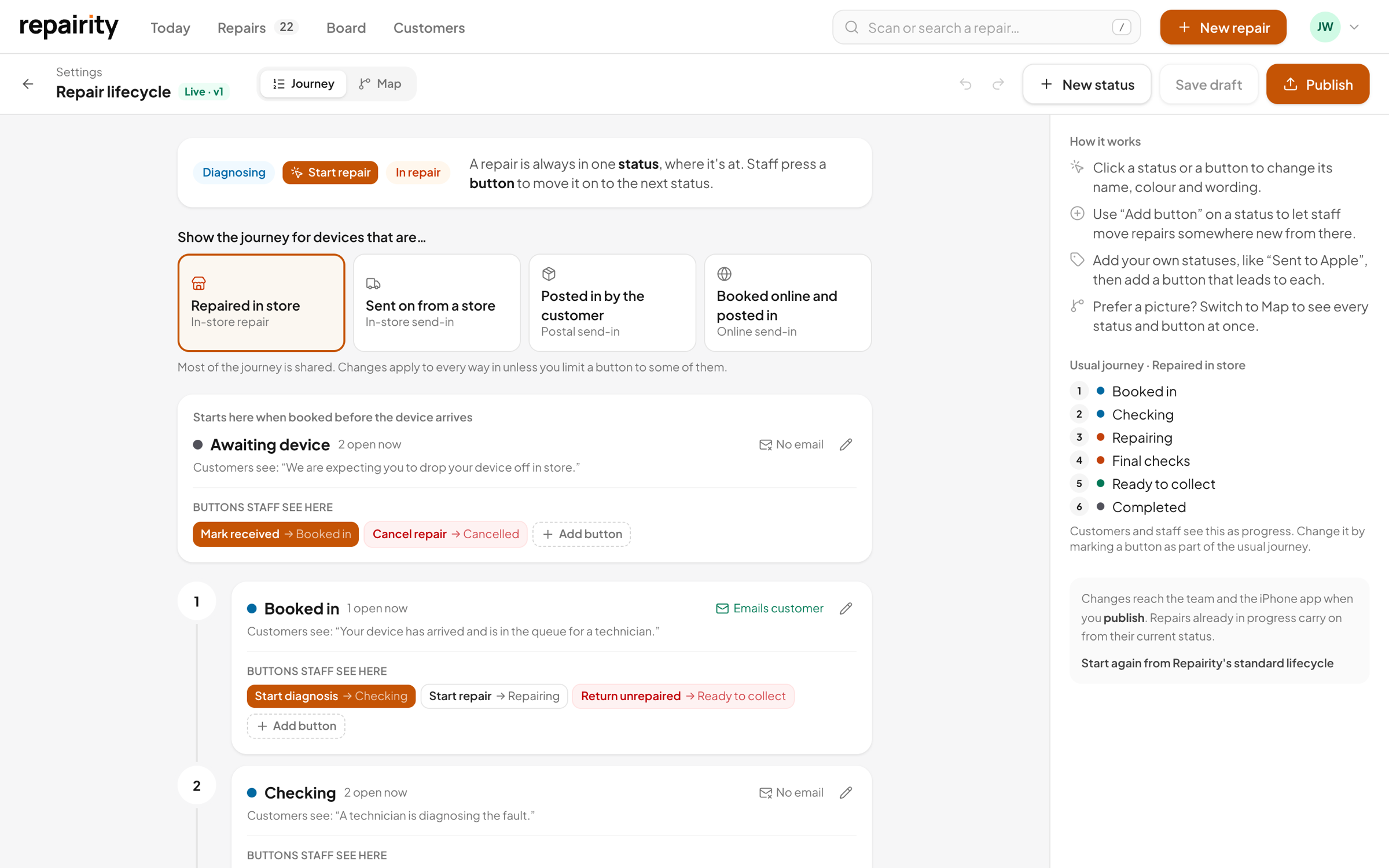
A phone dropped off at a store, a laptop your team booked in for the customer to post, and a device someone booked online all take different routes. Repairity knows which is which, so staff only see the steps that apply to the one in front of them.
- Store send-ins come back to the store for collection
- Postal and online bookings are posted home
- The right steps and customer emails for each
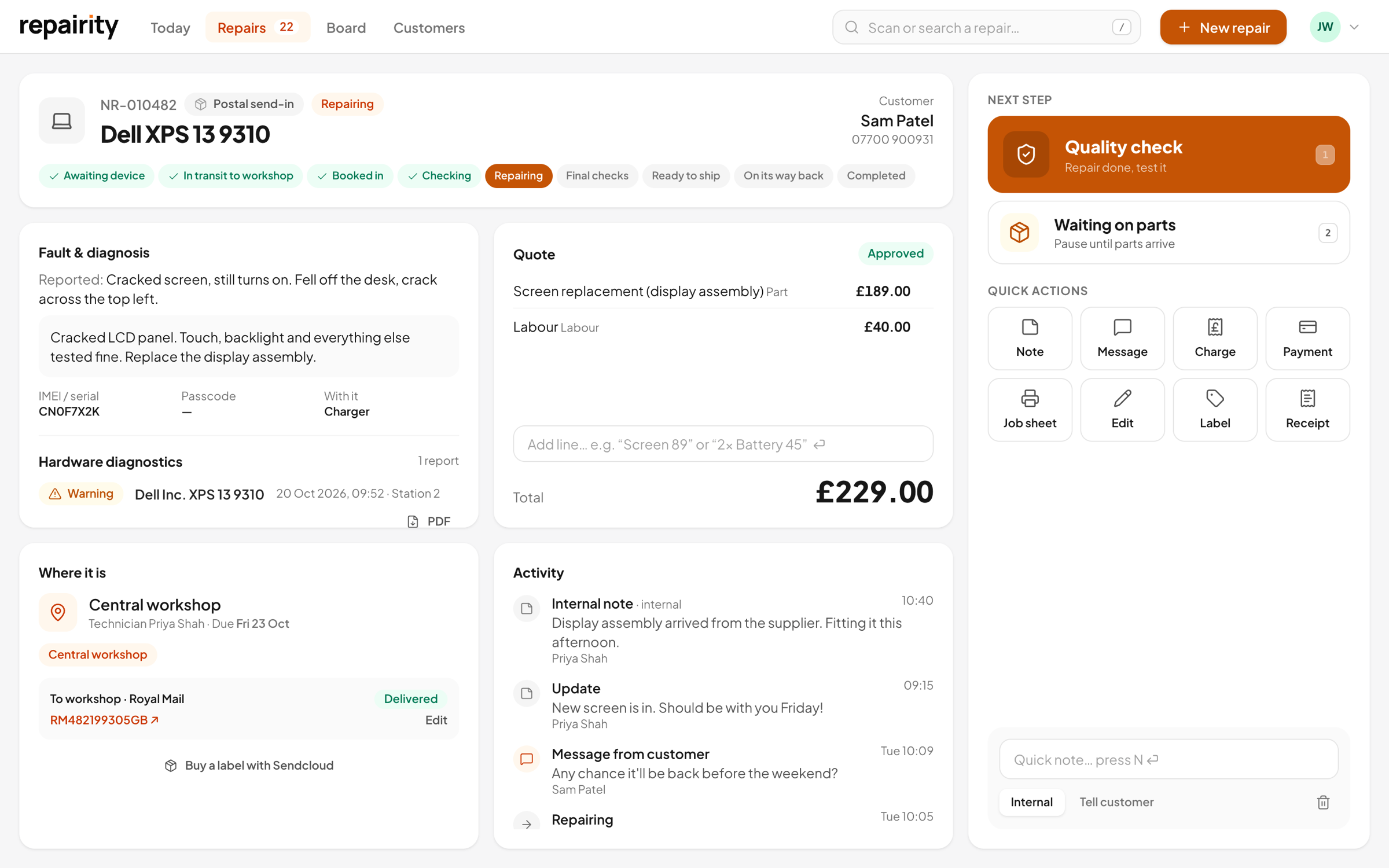
Every leg
a tracking number on every parcel.
When a device leaves a store or your workshop, add the carrier and tracking number as you press the step, or buy the label from the repair and it's filled in for you. Staff and customers can both follow the parcel, and it's marked delivered once the device is booked in at the other end.
- Carrier and tracking number for each leg, there and back
- One click to the carrier's own tracking page
- Marked delivered when the device is received
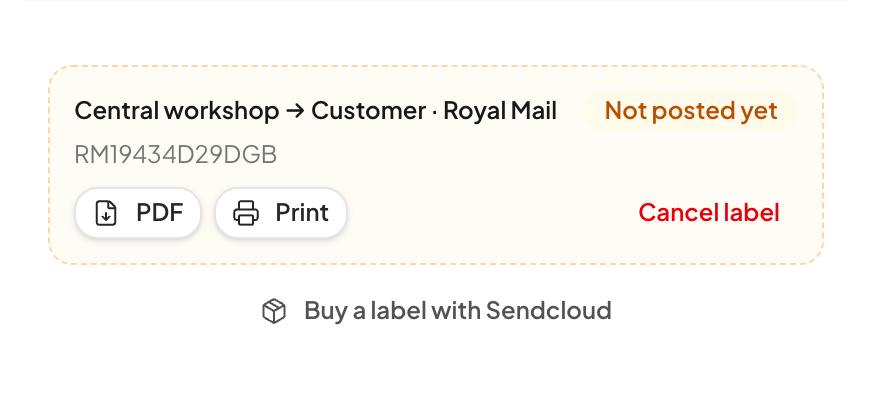
Labels, if you want them
buy the label from the repair.
Connect Sendcloud or ShipStation and you can buy postage on the repair itself. Pick the service and print the label, and the tracking number is saved for you. You can also send the customer a free return label with packing steps, and once the parcel is posted and arrives, the repair can move on without anyone pressing a button.
- Outbound and free return labels with Sendcloud or ShipStation
- Print to your label printer, or email or text it to the customer
- Live tracking can move the repair on by itself
- Cancel a label you didn't use
Posted in
customers know exactly where to send it.
The booking email for a postal repair gives the customer your workshop address and asks them to write the repair reference on the parcel, so you know whose it is before you open it. Their tracking page shows the address too, until the device turns up.
- Your workshop address in the booking email
- A reminder to write the reference on the parcel
- The repair waits in Intake until it arrives

Going back
it goes back where it came from.
Repairity keeps track of where each device started. A send-in from the York store goes back to York, ready to collect, and a posted repair is posted home. Either way, the customer is told how it's getting back to them.
- Store send-ins go back to the store they came from
- Postal repairs are posted home
- The customer is emailed or texted the carrier and tracking number
Your locations
stores, workshops, or both.
Set up each place as a store, a workshop, or a store with its own workshop. Every repair knows where it was booked in and where it's being fixed.
Store
The front counter, where repairs are booked in and collected. They're sent to a workshop to be fixed.
Workshop
Where the repairs get done. It takes in send-ins from your stores and parcels from customers.
Store with a workshop
Repairs are booked in at the counter and fixed on site.

good to know.
If you're still weighing it up, try everything free for 14 days. You don't need a card.
Which carriers can I use?
Royal Mail, Parcelforce, DPD, Evri, DHL, UPS, FedEx and USPS have links to their own tracking pages. You can also pick another courier or your own delivery. With Sendcloud or ShipStation, you can use any carrier on those accounts.
Can I buy postage and print labels from Repairity?
Yes, if you connect Sendcloud or ShipStation. Buy outbound and return labels from the repair, print them, and email or text return labels to the customer. Without them, book postage the way you do now and add the carrier and tracking number to the repair.
Does parcel tracking update by itself?
Yes, with a shipping integration (or Back Market's BackShip). Tracking updates come in automatically and can move the repair on as the parcel is posted, in transit and received. Otherwise Repairity stores the carrier and tracking number, links to the carrier's tracking page, and marks the parcel delivered when the device is booked in.
Which plan includes send-ins?
Growth or Scale. Store-to-workshop and postal send-ins are part of both.