
Tracking & customer page: fewer “is it ready yet?” calls.
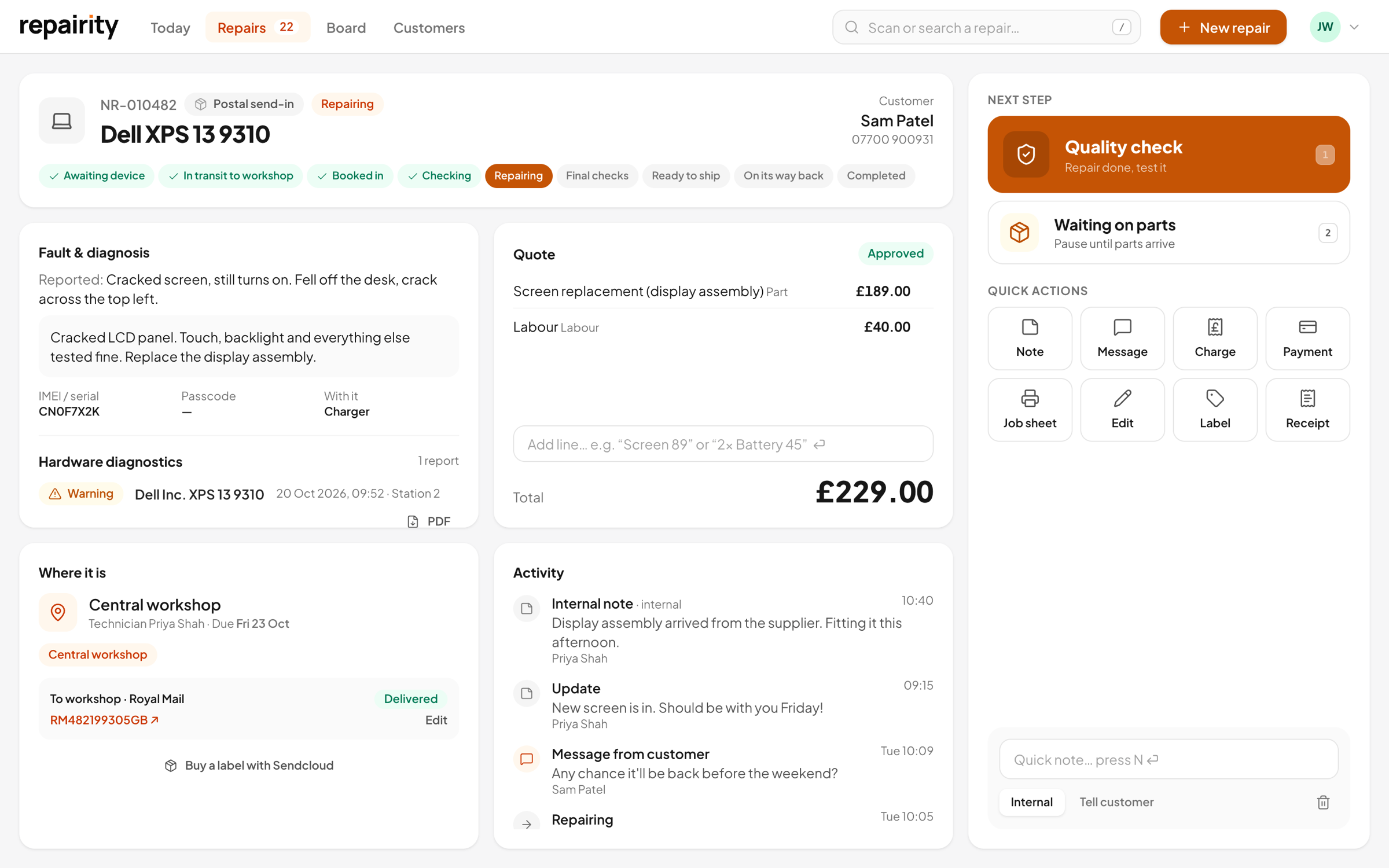
Each repair gets its own private page with your shop's name at the top. From it, customers can see how the job is going, approve a quote, read your updates and message you, without ever making an account.
14 days free · No card needed


Progress
where it is, in words customers understand.
Customers see the same steps your team works through, worded the way you'd explain them over the counter. When a repair reaches a step you've picked, they get an email (or a text, if you've connected Twilio, Vonage or ClickSend) with a link straight back to their page.
- A progress bar and the steps still to come
- Your own wording for each step
- An email or text at the steps you choose, with a link back to the page

Quotes
quotes approved from the sofa.
When you send a quote, the customer gets an email with a "Review your quote" button, or a text with the amount and a link to approve it. They approve or decline on their page and the repair moves on by itself. Nobody has to chase anyone by phone.
- Parts, labour, shipping and discounts on one quote
- Approve, or decline and have it returned
- Customers can add a note with their answer
Messages
every message stays with the repair.
Customer messages land on the repair's timeline next to your own notes, so whoever picks the job up next has the whole story. Post an update with photos of what you found inside and the customer gets an email or text about it.
- Customers message you from their page
- With Twilio, text replies land on the repair too
- Keep internal notes private to your team
Proof
the test report and the parcel, on their page.
If you test devices with Repairity Check, the report shows on the customer's page as well. Once the device is on its way, they can see the carrier and tracking number and follow it on the carrier's site. Buy the label through Sendcloud or ShipStation and the parcel's status updates by itself.
- Hardware test reports, with a PDF to download
- Each report can be checked as genuine
- Carrier and tracking number with a link to the carrier
Little things
small details that save your customers a call.
A private link
Each repair has its own unguessable link, so there's no login to sign up for and no password to forget.
Look it up
If the email has gone missing, customers can find their repair with its reference and the email they booked with.
Where to bring it
Until the device arrives, the page shows your posting address or store details.
Get in touch
Your phone number and email are on the page, with the repair reference beside them ready to quote.

good to know.
If you're still weighing it up, try everything free for 14 days. You don't need a card.
Do customers need an account?
No. They get a private link to their repair in their booking email, and can look it up any time with the repair reference and their email address.
Can I choose when customers get an email or a text?
Yes. Pick the steps that send an email, and write what customers see at each one in your own words. Connect an SMS provider and you can also choose whether the booking, status updates and messages from staff go out by text.
Can customers pay online?
Not yet. Customers approve quotes on their page, and you record the payment when they pay you. If you use Xero or QuickBooks, the invoice and payment are sent there automatically.
Does the page update as the repair moves on?
Yes. It always shows where the repair is in your workshop. For parcels it shows the carrier and tracking number, with a link to the carrier's own tracking. When labels come from Sendcloud or ShipStation, the parcel's status updates automatically.