
For stores with a central workshop: your stores book in. your workshop fixes.
Each store books devices in the same way and sends them to your workshop. Anyone can look up where a device is (at the counter, in transit or in the workshop), and it always goes back to the store it came from.
14 days free · No card needed

A day across your business
one device moves through three places without a phone call.
Here's a repair that's dropped off in York, fixed at the central workshop and collected from the same counter it came in at.
-
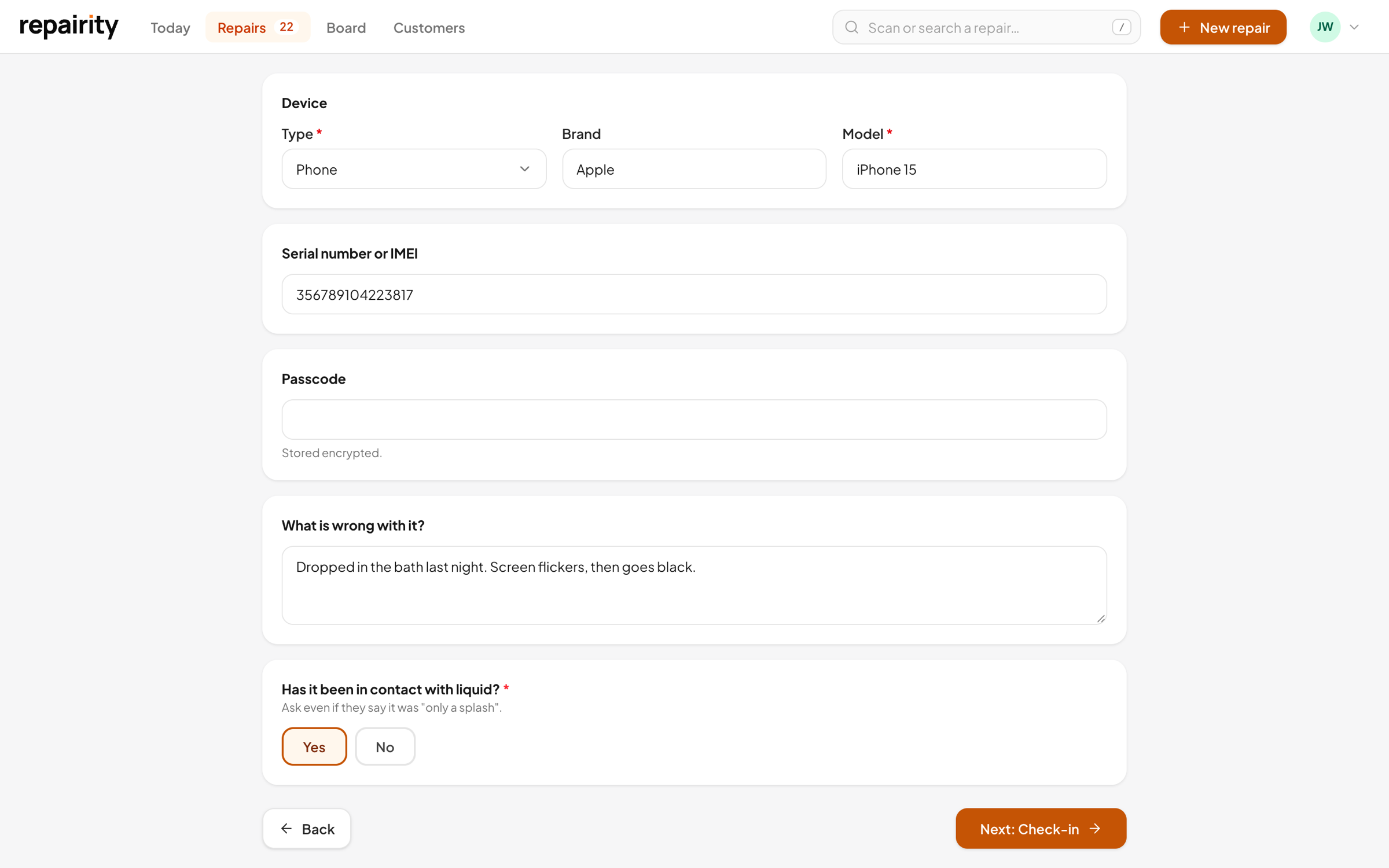 01 09:20
Booked in at the York store
The front desk asks your booking-in questions, prints the repair label and tells the customer it's going to the workshop. Their tracking link goes out by email or text.
-
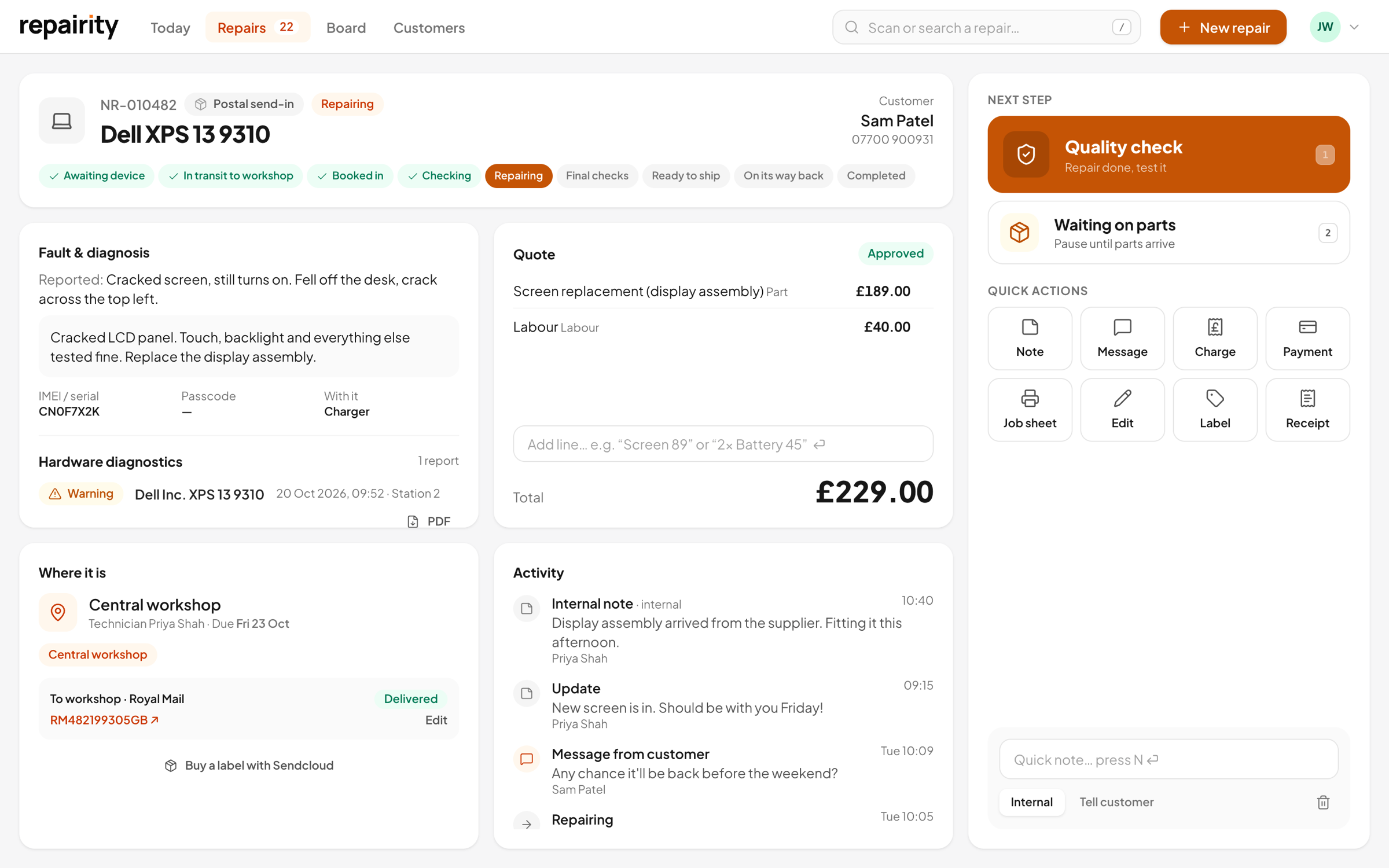 02 14:00
Sent to the workshop
Before the collection goes, the store marks it in transit. Add the courier and tracking number, buy a label through Sendcloud or ShipStation, or pick "our own delivery" if your van does the rounds.
-
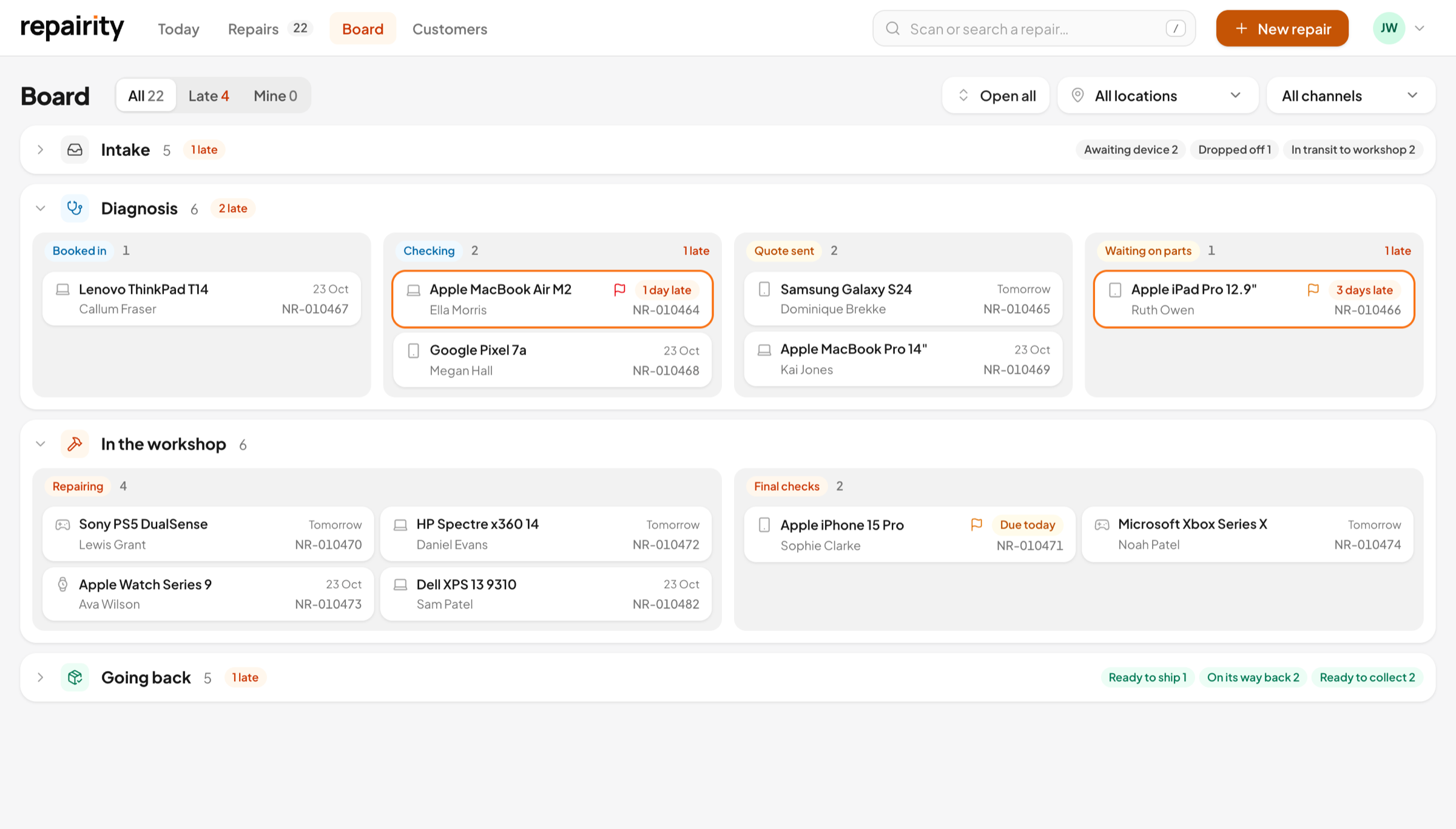 03 09:10
Received at the workshop
Next morning the workshop scans the label and marks it received. It drops straight into the Diagnosis lane, ready for a technician.
-
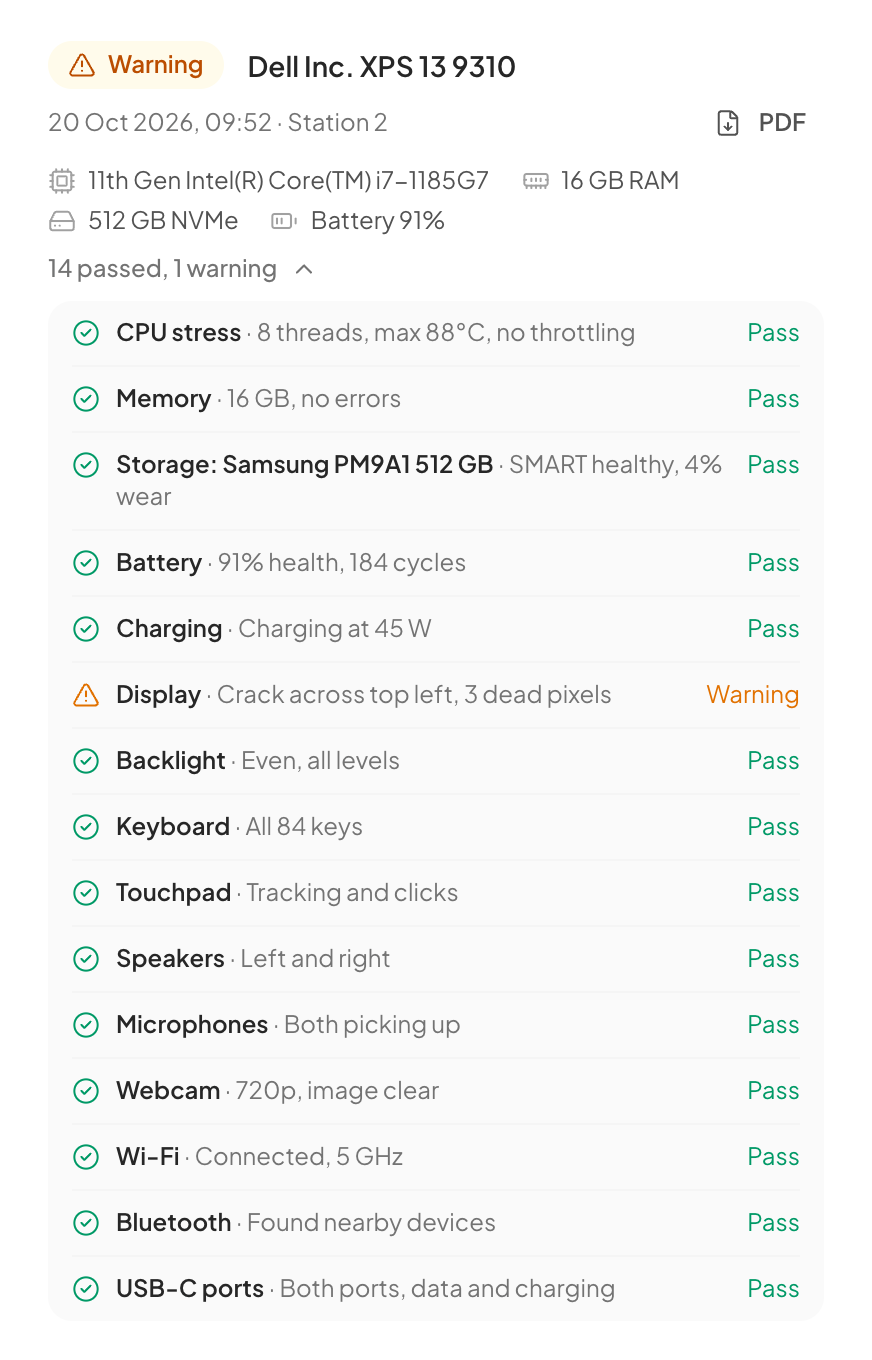 04 11:45
Tested and repaired
A laptop or PC gets a Repairity Check report saved on the repair and the quote goes to the customer. Marking it fixed is one click, with Undo if someone presses the wrong button.
-
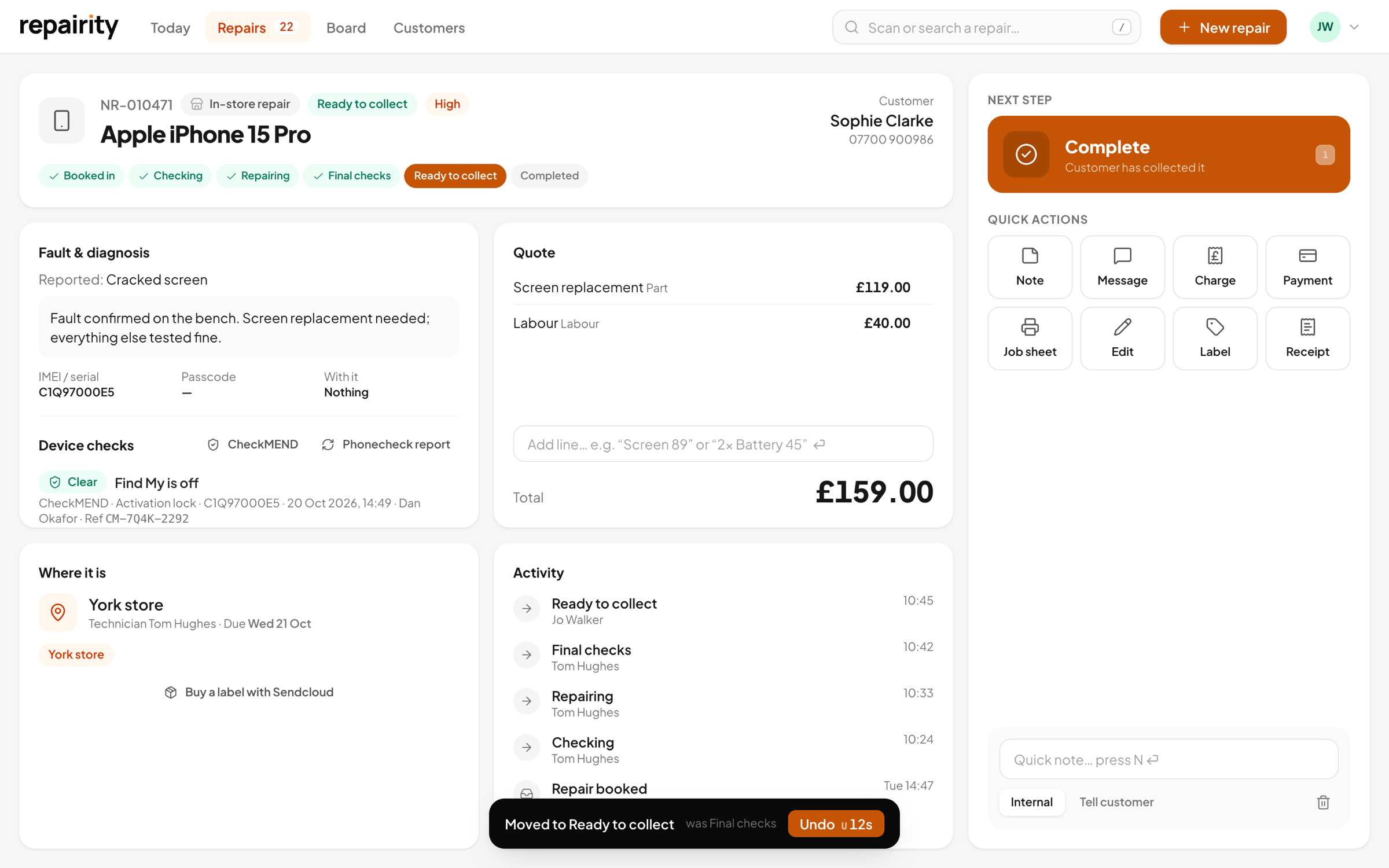 05 16:30
Back to the right counter
Repairity remembers it came from York, so it goes back there. When it arrives, the store marks it ready to collect and the customer is told.
-
Across all your stores
nobody rings the workshop to ask.
Stores, workshop and customers all look at the same repair, so the answer is always on the screen.
Send-ins
store to workshop and back, tracked both ways.
A store send-in has its own steps. It's dropped off, goes in transit to the workshop, is received and repaired, then comes back and waits for collection. Each step is a button, so nobody has to remember the order.
- Courier and tracking number on every send-in
- Tracking links for Royal Mail, DPD, Evri, DHL, UPS and more
- Your own van counts too
- Always returned to the store it came from

Every location
all your stores on one screen.
Add each store and workshop as a location. Staff see their own store's repairs first, and managers can switch to any location or see everything at once, with late repairs ringed in orange wherever they are.
- Stores, workshops, or a store with a workshop
- Each team member has a home store
- Filter the board by store, or see them all
- The same booking-in questions everywhere

Your team
the right buttons for the right people.
Front desk staff book devices in and hand them back, technicians diagnose and repair, and managers send quotes and look after the settings. You decide who can do what, and each repair shows who did it.
- Owner, admin, technician and front desk roles built in
- Make your own roles
- Lock the iPhone app to shopfront or warehouse
- A full history on every repair

The right plan
growth is built for stores and a workshop.
For shops that send repairs to a workshop or take them in by post. You pay per location, stores and workshop alike, and each one includes 8 users. For a bigger team, Scale includes unlimited users.
Compare every planper month +VAT
£79 a month billed annually, excl. VAT
For shops that send repairs to a workshop or take them in by post.
- 8 users per location
- 2 Repairity Print computers per location
- Postal, online and store-to-workshop send-ins
- Your own booking-in flows and repair steps
- Label and receipt designer
- Shipping, accounting and device-check integrations
- Warehouse mode in the iPhone app
- 1 Repairity Check station
- Everything in Essential
per month +VAT
£111 a month billed annually, excl. VAT
For large teams that want unlimited users and priority support.
- Unlimited users and Print computers
- Parts inventory, purchase orders and stock accounting
- Marketplace and refurbishment integrations
- Custom roles and permissions
- The Repairity API and webhooks
- Priority support
- Everything in Growth
good to know.
If you're still weighing it up, try everything free for 14 days. You don't need a card.
Some of our stores fix things on site. Does that work?
Yes. Set a location up as a store with an on-site workshop and repairs booked in there can be fixed there, while your other stores send theirs to the workshop.
Do customers have to go back to the same store?
Store send-ins are returned to the store they were booked in at, so the customer collects from the counter they dropped off at.
We use our own van between stores. Is that supported?
Yes. Choose 'Our own delivery' instead of a courier when you send a device on.
Do you handle Back Market or refurbed repairs?
Yes. Connect Back Market or refurbed and their after-sales cases arrive as repairs, waiting for the device. When it's posted back, the return tracking is sent to the marketplace for you.
Can a technician only see the workshop?
Each team member has a home store, and the board opens on it. Roles decide what they can do once they're there.