
Team & roles: everyone does their job. nobody does yours.
Invite your team and give each person a role. You decide who can send quotes, take payments or delete repairs, and every repair shows who did what.
14 days free · No card needed
Roles
four roles ready on day one.
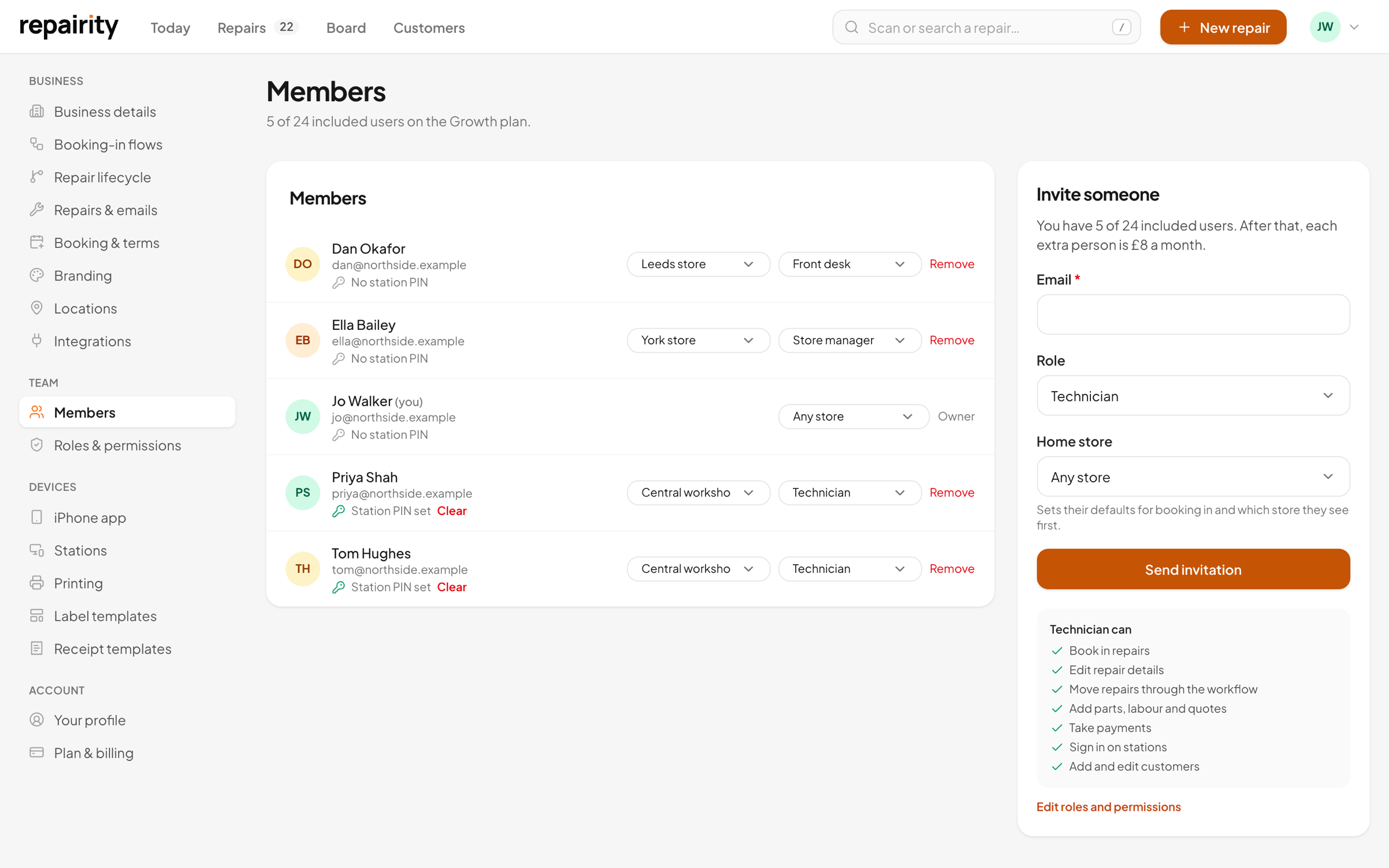
Most shops can run on the four built-in roles as they come. Invite someone by email and pick their role, and that's them set up.
- Owner: everything, including billing
- Admin: settings, team and every repair
- Technician and Front desk: all the day-to-day repair work
Everything, including billing. Can't be changed.
Runs the shop: settings, team and every repair.
Works on repairs in the workshop.
Books repairs in and hands them back at the counter.
Your own roles
build roles around how your shop works.
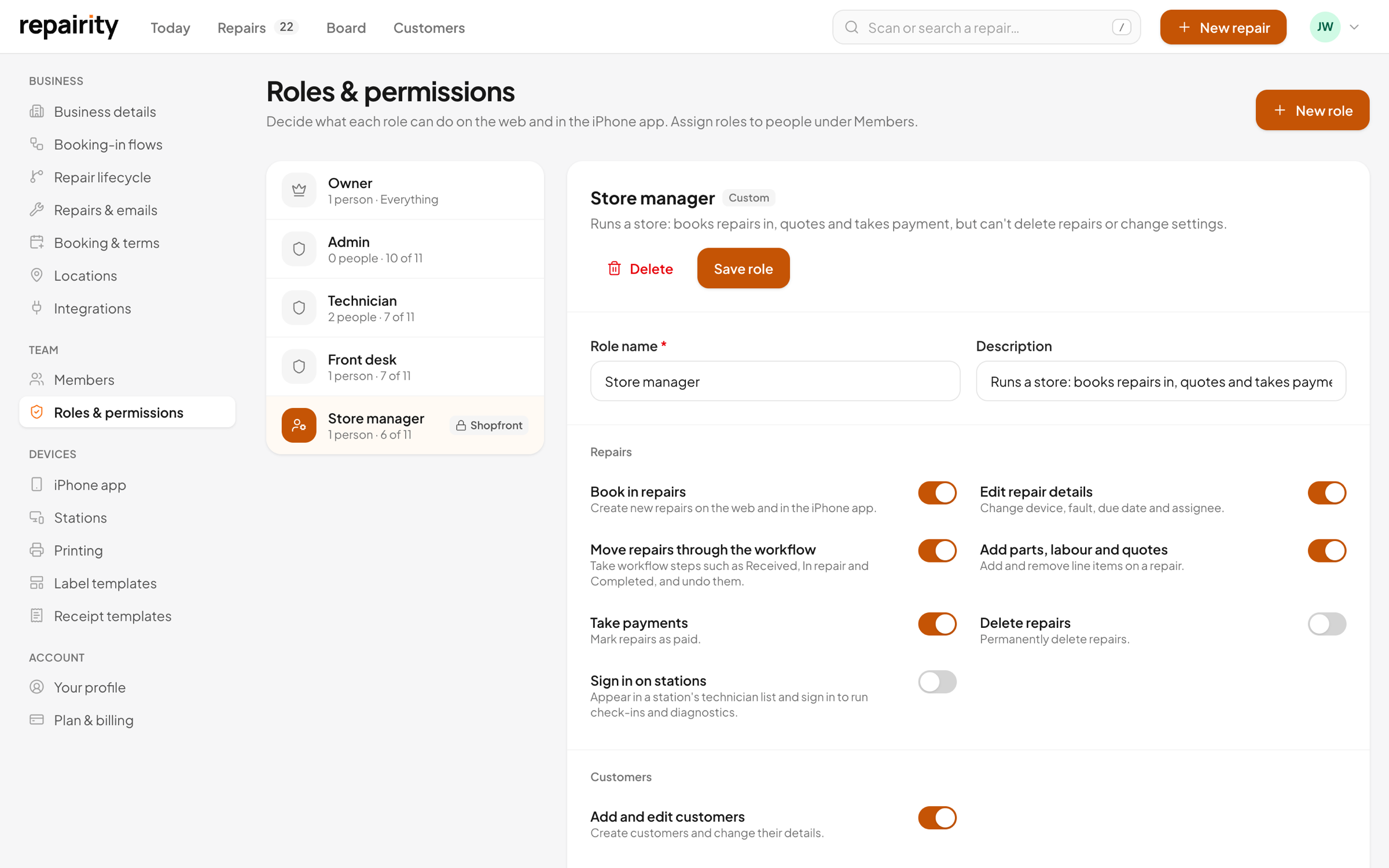
Say you want a store manager who can quote but not delete, or a Saturday helper who only books in. Add a new role, switch on what they need and give it a name.
- Each permission is a plain-English switch, on or off
- Keep a role to the repairs at their own store
- Lock a role to the iPhone app's Shopfront or Warehouse mode
History
who did what, and when.
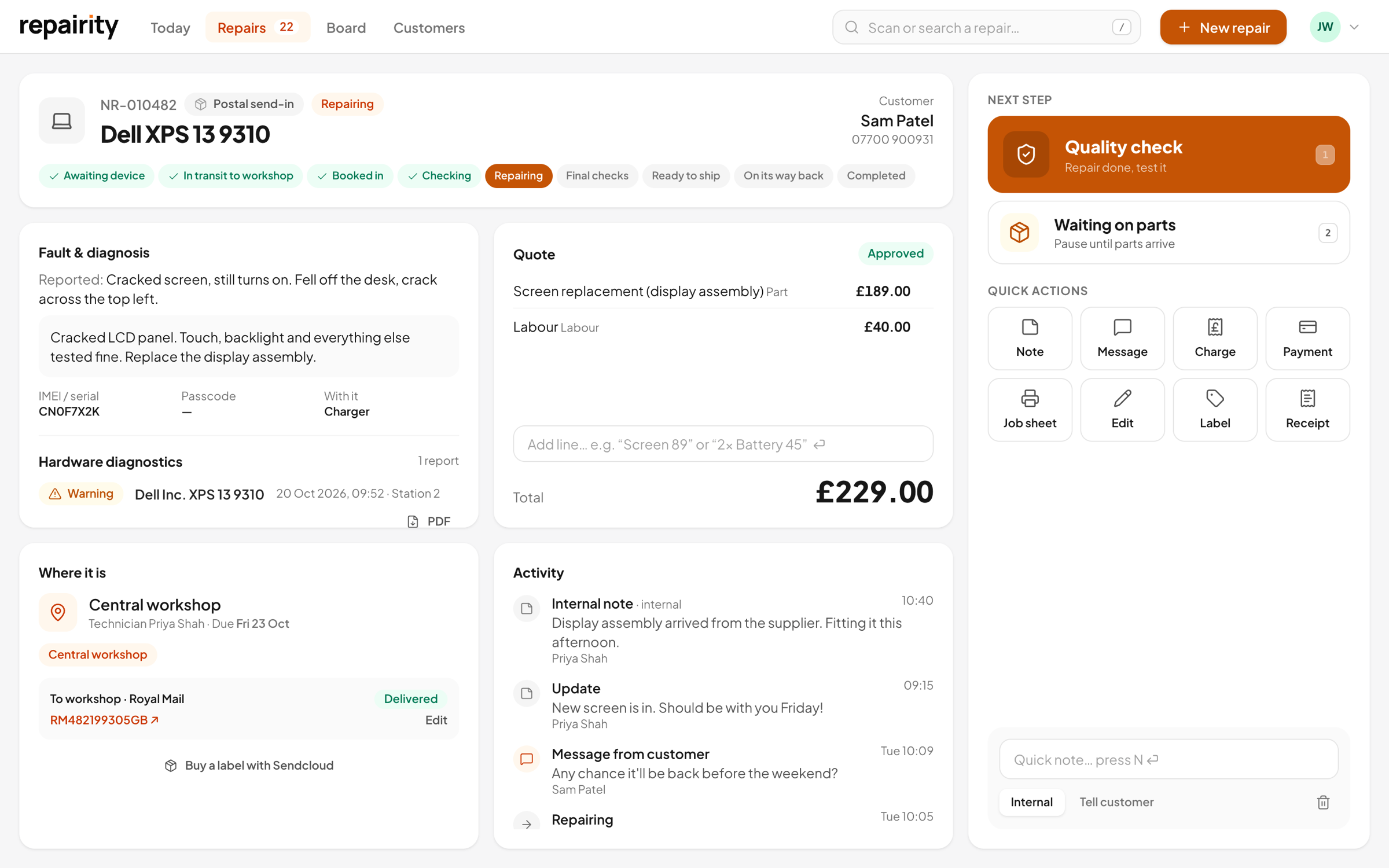
Everyone signs in as themselves on the web and on the iPhone app, so there's a name against everything in a repair's history. When a customer asks what's happened, you can read it straight off the timeline.
- Every step, note, photo and message on one timeline
- Each one shows the person who did it
- Diagnostics reports show which technician ran the tests
a few smaller things worth knowing.
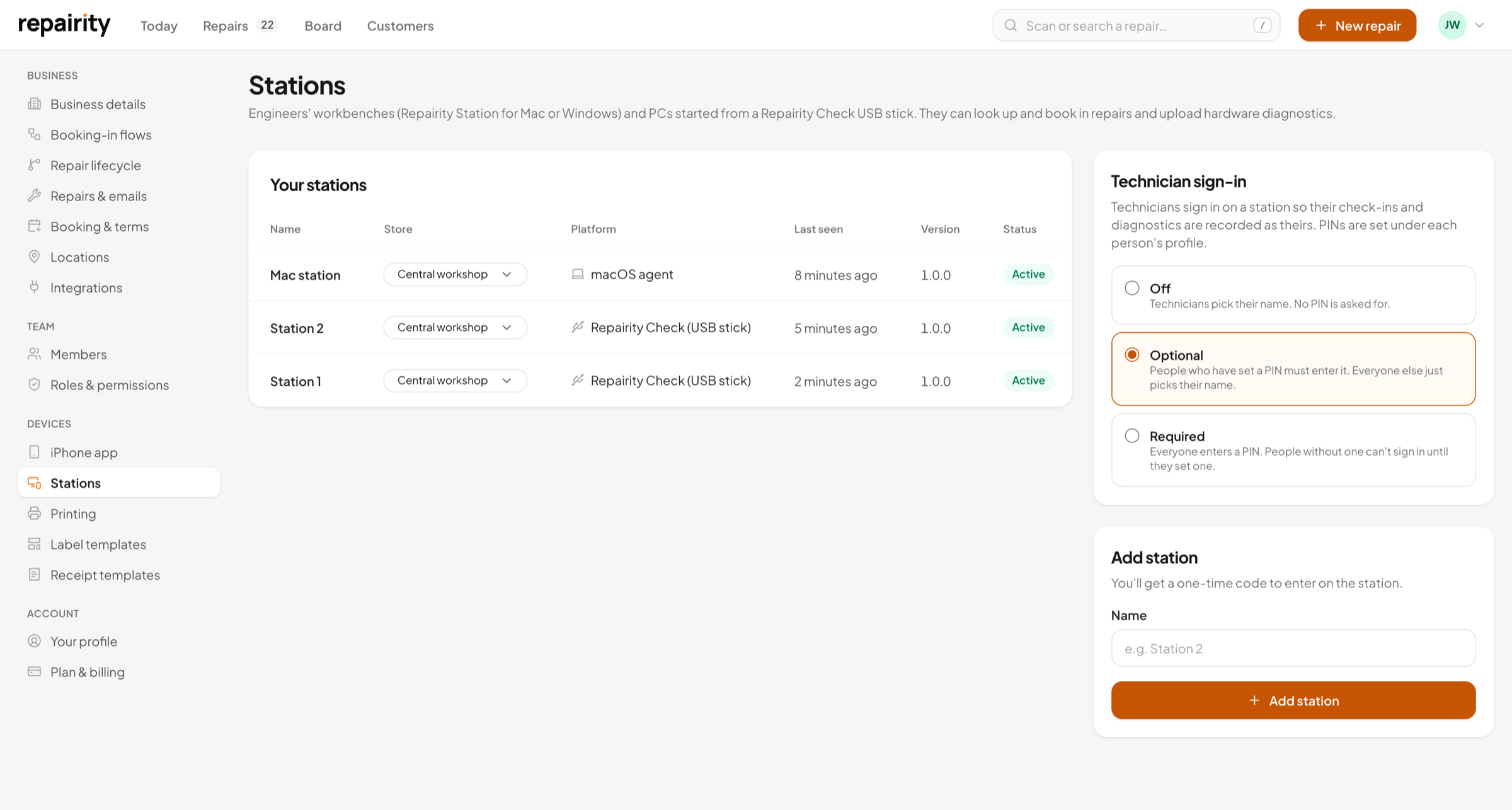
PINs on shared stations
Set it to Off, Optional or Required. Each person picks their own PIN in their profile, and five wrong attempts lock it for 15 minutes, so a report is signed by whoever really ran it.
Undo a wrong click
You get 15 seconds to undo any step. The only things that ask "are you sure?" are cancelling, returning unrepaired and deleting.
More than one business
If you work for more than one business, switch between them from your profile and hold a different role in each.
good to know.
If you're still weighing it up, try everything free for 14 days. You don't need a card.
How many people can I add?
As many as you like. Each location comes with 5 users on Essential, 8 on Growth and unlimited on Scale, and extra people are £8.00 a month each.
Can I keep someone to one store?
Yes. Give them a home store and switch on 'Only their home store' for their role, and they'll only see repairs at that store.
Which permissions can I control?
Booking in, editing repairs, moving repairs on, quoting, taking payments, deleting repairs, signing in on stations, managing customers, the team, settings and billing. Changing what a role can do, and creating your own roles, needs Scale.
Can my technicians sign in on the stations with a PIN?
Yes. Under Settings, Stations, set technician sign-in to Off, Optional or Required. People set a 4 to 6 digit PIN in their profile, and an admin can clear it from Members.