
Label printing: your labels. on the printer. one click.
Design a label that fits your bags and shelves and print it from any repair. Repairity Print runs on the Mac or Windows PC beside the printer and prints whatever Repairity sends it.
14 days free · No card needed
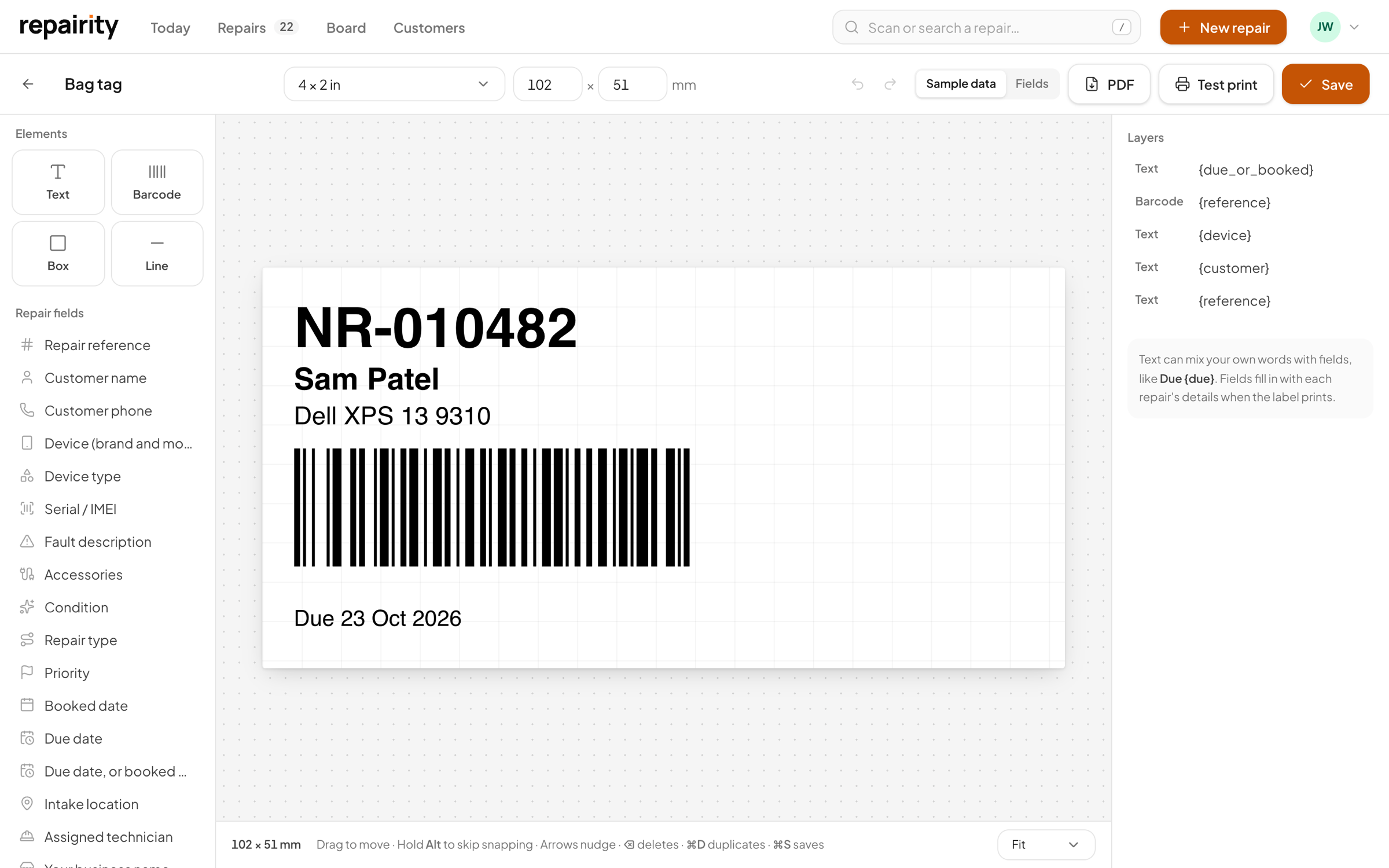
Dell XPS 13 9310
Design
drag your own label into shape.
Build the label in the designer and watch the preview change as you go. Drop in fields such as the repair reference or due date, and Repairity fills them in for each repair. You can keep several designs and set one as the default.

Any size
Sized in millimetres to match the roll you have loaded.
Text, barcodes, boxes and lines
Enough to build a proper bag tag or shelf label.
Fields fill themselves in
Reference, customer, device, fault, due date and more, taken from the repair you're printing.
Set up
pair the computer once and leave it be.
Install Repairity Print on the computer the printer is plugged into and enter the pairing code. Because it connects out to Repairity, you won't need to change firewall rules or set up a fixed IP address.
- Repairity Print for Mac and for Windows
- Type a pairing code from Settings → Printing
- It lists every printer that computer can see, online or offline
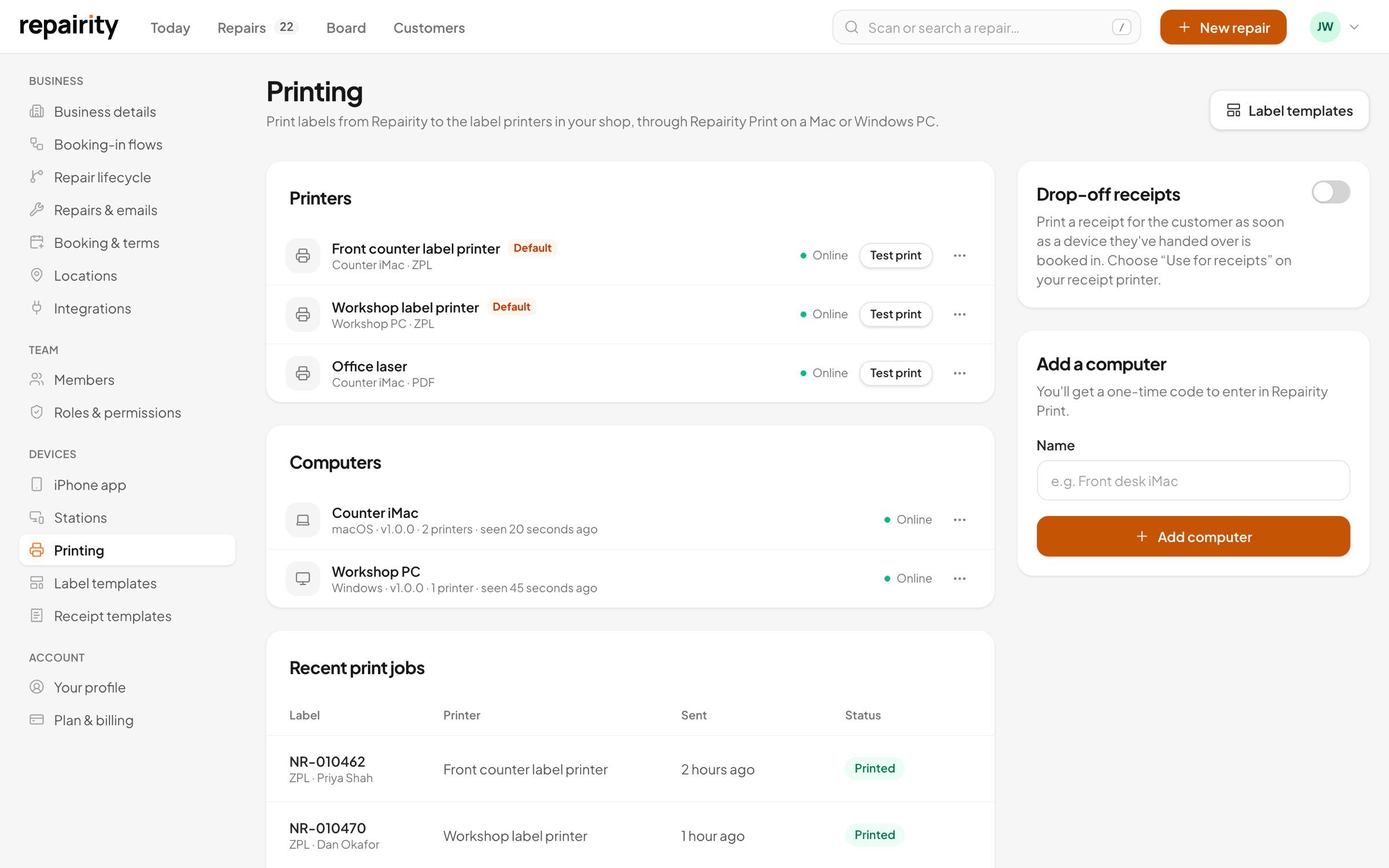
prints the moment you press the button.
Press Print label on a repair and it goes straight to your default label printer. If the computer drops offline for a moment, the label prints when it reconnects, as long as it's still fresh. It won't suddenly print a stack of old labels later.
- ZPL straight to thermal label printers
- PDF through the printer's own driver for everything else
- A list of every label sent, so you can see what printed and what didn't
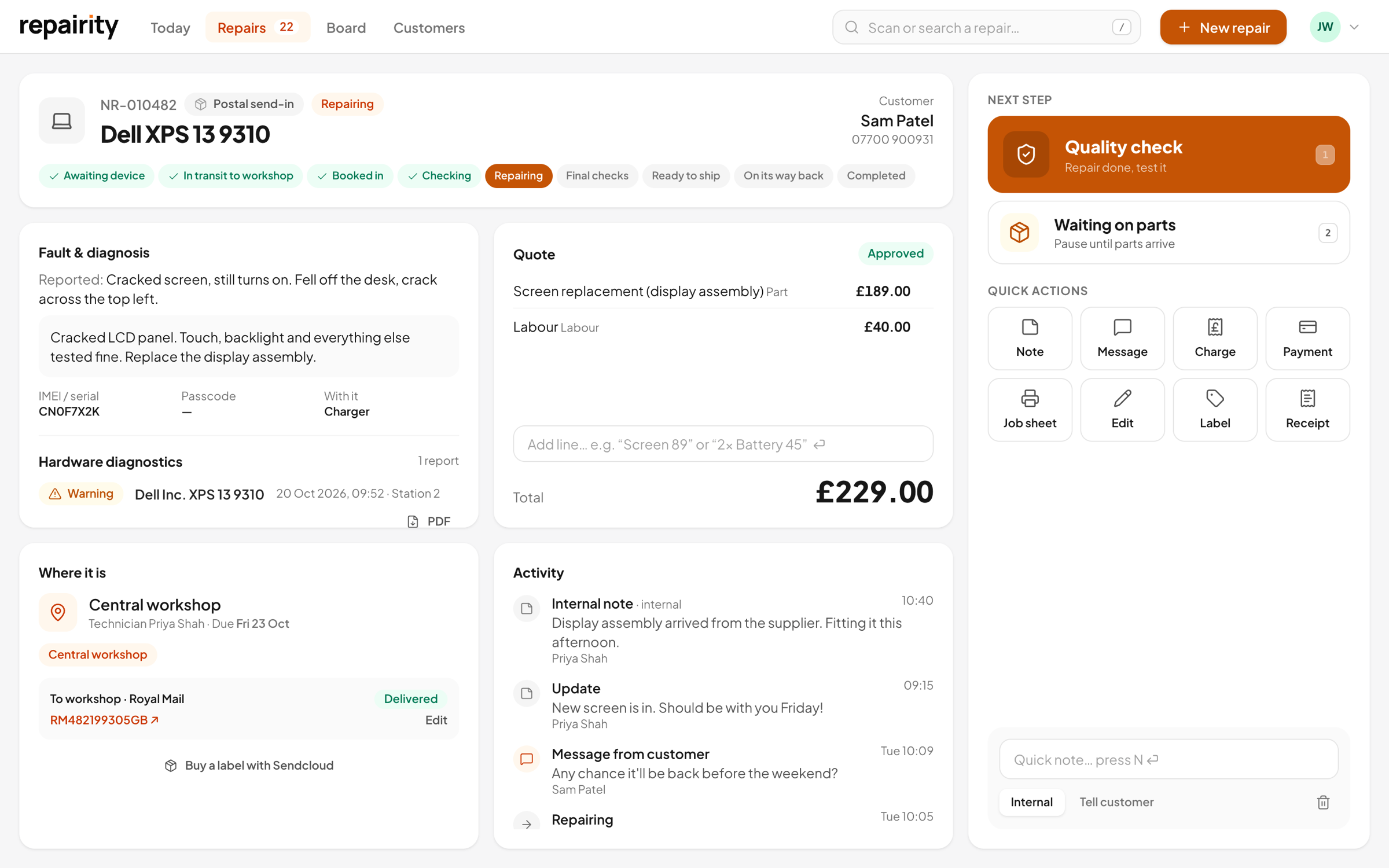
Receipts
a counter receipt you've laid out yourself.
Give the customer a slip with their reference, what they've left with you and a QR code to follow the repair. You design it in the receipt builder with a live preview, and it prints on the counter's receipt printer through Repairity Print.
- Drop-off and collection receipts
- Built from blocks for text, details, charges, a barcode, a QR code and your terms
- ESC/POS for receipt printers, with a proper barcode, QR code and cut
- A roll-sized PDF for any other printer, or from the browser
- Print one automatically when a device is handed over, and open the cash drawer if you like
good to know.
If you're still weighing it up, try everything free for 14 days. You don't need a card.
Will it work with my label printer?
Yes. A thermal label printer that takes ZPL, such as a Zebra, gets the label sent to it directly. Any other printer your Mac or PC can print a PDF to works through its own driver.
Does the computer have to stay on?
Yes, the computer running Repairity Print needs to be on and signed in for labels to print. If it drops off briefly, anything sent in that time prints when it reconnects, as long as it's less than 15 minutes old.
Can I print a test label?
Yes, from Settings → Printing in Repairity or from Repairity Print's own menu.
What about receipt printers?
Any receipt printer that takes ESC/POS, such as an Epson TM or most 80 mm and 58 mm counter printers, gets receipts sent to it directly. Any other printer gets a PDF the size of the roll.
Is printing included in my plan?
Yes. Repairity Print and the standard repair labels and receipts are on every plan. Each location includes Print computers (1 on Essential, 2 on Growth, unlimited on Scale), and extra ones are £5 +VAT a month. You'll need Growth to design your own labels and receipts.