
Workflow & lanes: every repair, one click at a time.
Every repair sits in one of four lanes (Intake, Diagnosis, In the workshop and Going back). Open one and its next step is the big button on the page. Press it and the repair moves on, and the customer is told.
14 days free · No card needed

Today
the whole day on one screen.
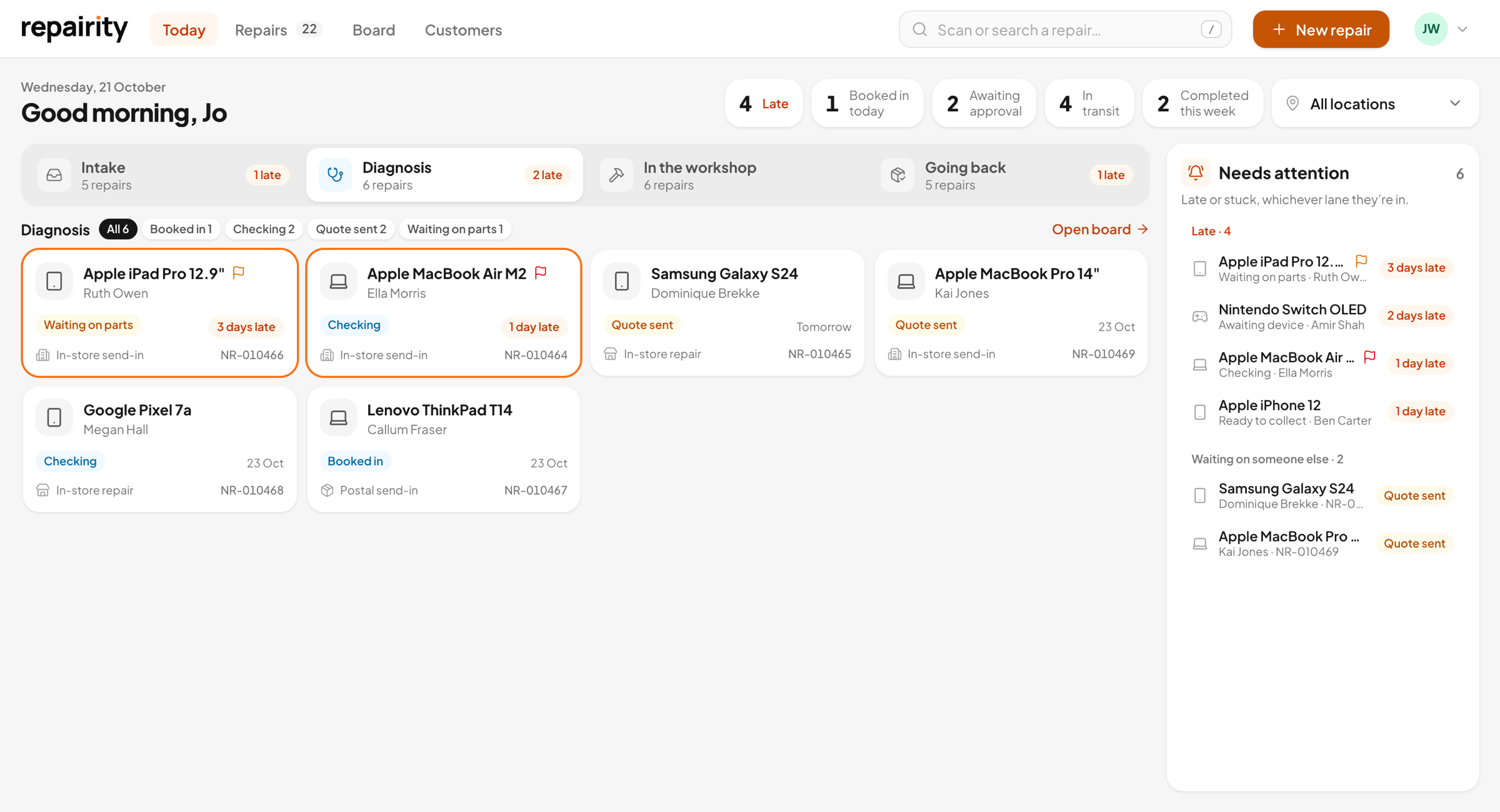
Today opens on whichever lane needs you most, and each lane shows its repairs as cards. The "Needs attention" list picks out anything that's late, waiting on parts or waiting on the customer's approval.
- A count and a late count on every lane
- Filter a lane by status
- Late repairs ringed in orange, so they get done first
The repair page
everything on one ticket, with the next step up front.
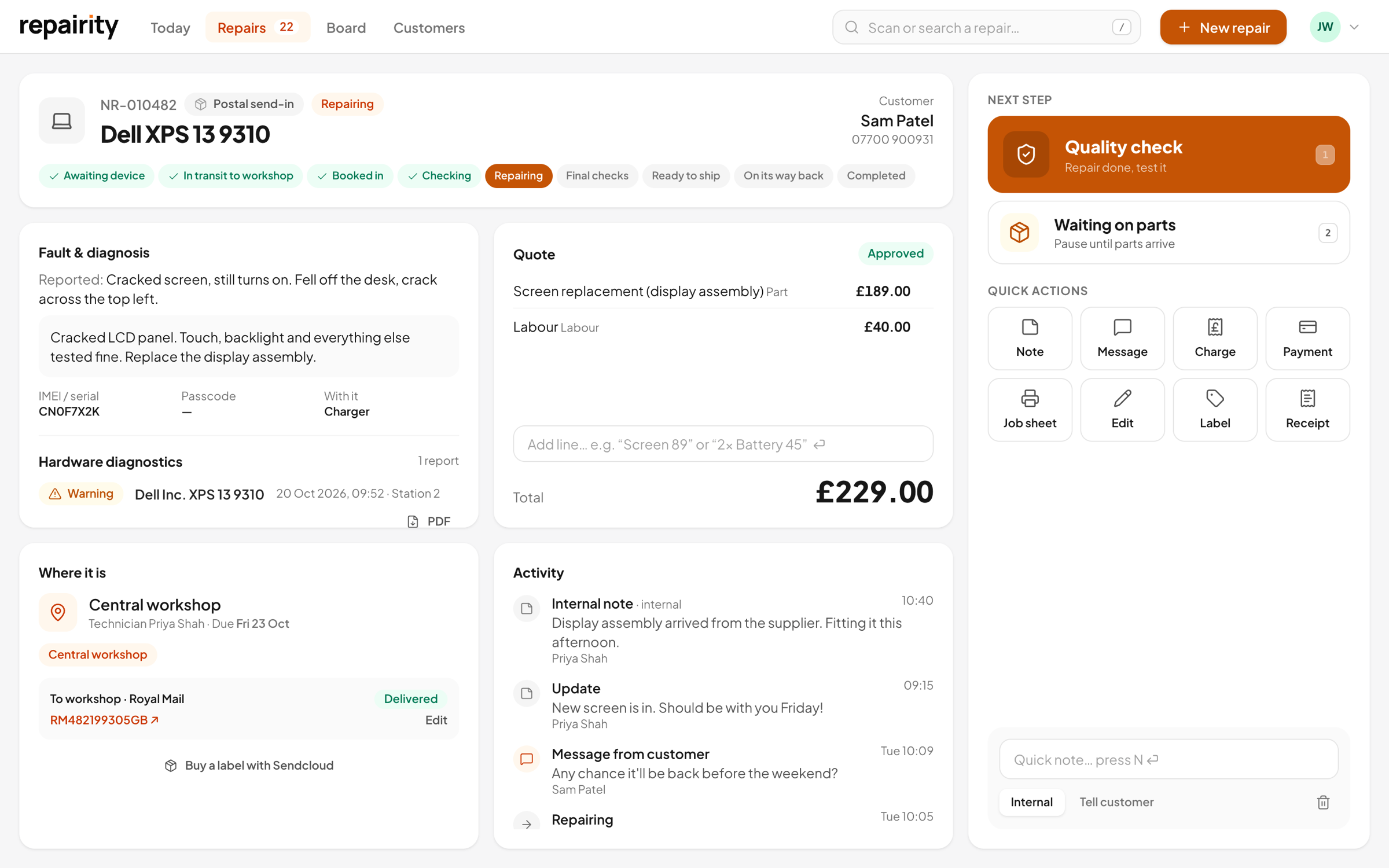
You don't go hunting through tabs to find the quote or see where the device is. It's all on the ticket, and the action pad beside it shows the steps that make sense right now, numbered in order.
- Fault, quote, where it is and activity on one ticket
- Print the label or job sheet, add a note or record a payment (sent on to Xero or QuickBooks if you use them)
- Notes stay internal, or go to the customer as an update
Undo
hit the wrong button and you can take it back.
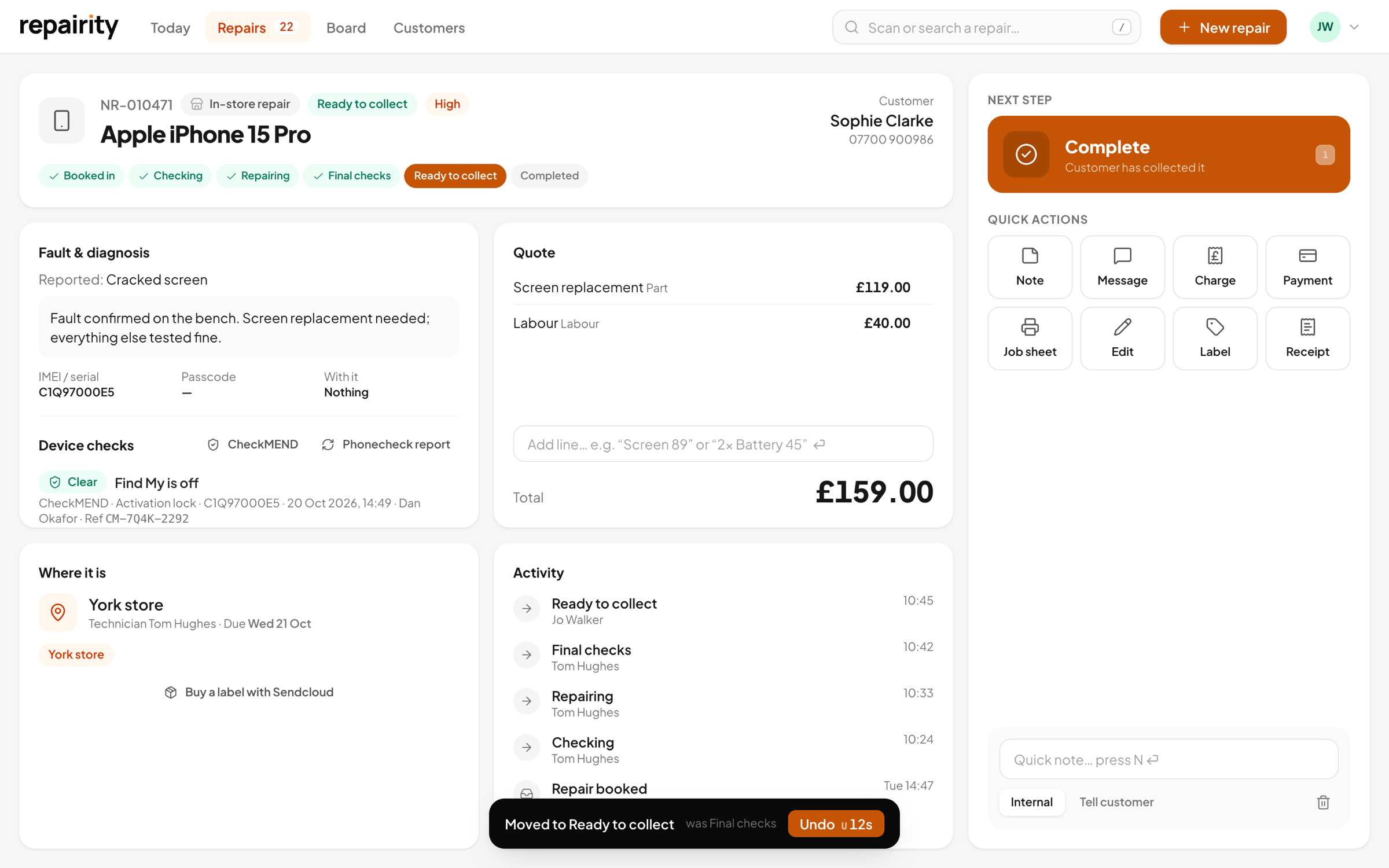
One-click steps only work if a mis-tap is easy to put right. Every step brings up an Undo button, and the customer's email waits until it has gone, so marking the wrong phone Ready to collect never reaches the customer.
- Every step can be undone for 15 seconds
- The customer email waits until the Undo has gone
- Only cancelling, returning unrepaired and deleting ask “Are you sure?”
Your own steps
name the steps the way your team talks.
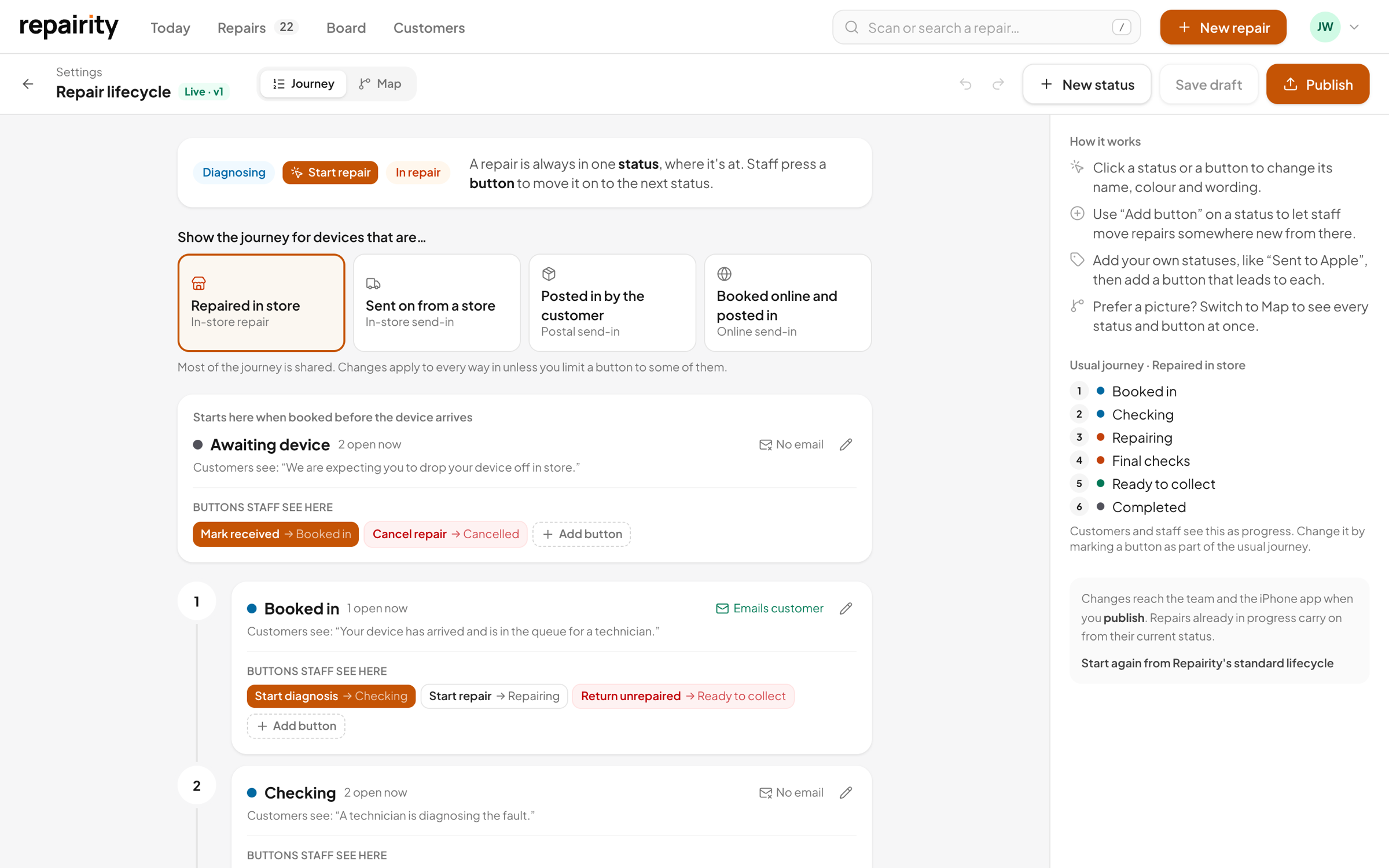
Write out the usual path a repair takes as a plain numbered list, then add the detours, like "Waiting on a part", and choose which buttons appear at each step. There's no flowchart to draw.
- Your own statuses, each working like a built-in one
- Choose the buttons staff see, their wording and colour
- Pick what customers see and which steps email them
Also in the box
the board, plus the details you use every day.
The board shows every open repair in the four lanes, which fold away, with a column for each status. Filter it by location or channel, or show only the late ones.

Priority
Set it to low, normal, high or urgent. Urgent jobs show in red so nobody misses them.
Due dates
Each due date comes from your usual turnaround, and anything overdue shows how many days late it is.
Full history
The repair's timeline keeps every step, note, message and quote decision.
good to know.
If you're still weighing it up, try everything free for 14 days. You don't need a card.
Can I rename the statuses?
Yes. Add your own statuses and name them the way your team already does. Each one works like one of Repairity's built-in statuses, so the lanes, tracking and returns keep working.
Can staff skip steps?
Only the ones you let them. Staff see the buttons you've set for each status, so leave a step out and it won't be offered.
What if someone presses the wrong button?
They press Undo. Every step can be undone for 15 seconds, and the customer's email isn't sent until then.
Do posted repairs follow different steps?
Yes. In-store repairs, store-to-workshop send-ins, postal and online bookings each follow the steps that make sense for them, and devices always go back the way they came.